Hi,
1. Please edit promo banner edit text and choose color for text http://take.ms/nAHXW
2. Please find the code in Claue > Theme Option > General Layout > Custom CSS
.swatch__value {
	width: 40px;
	height: 40px;
	line-height: 42px;
}
and change to
.swatch__value {
	width: 50px;
	height: 50px;
	line-height: 52px;
}
or change 50 to bigger as you want.
Regards
Harry
Premium Wordpress themes and plugins, Best WooCommerce theme https://themeforest.net/user/janstudio/portfolio?ref=janstudio
Hi,
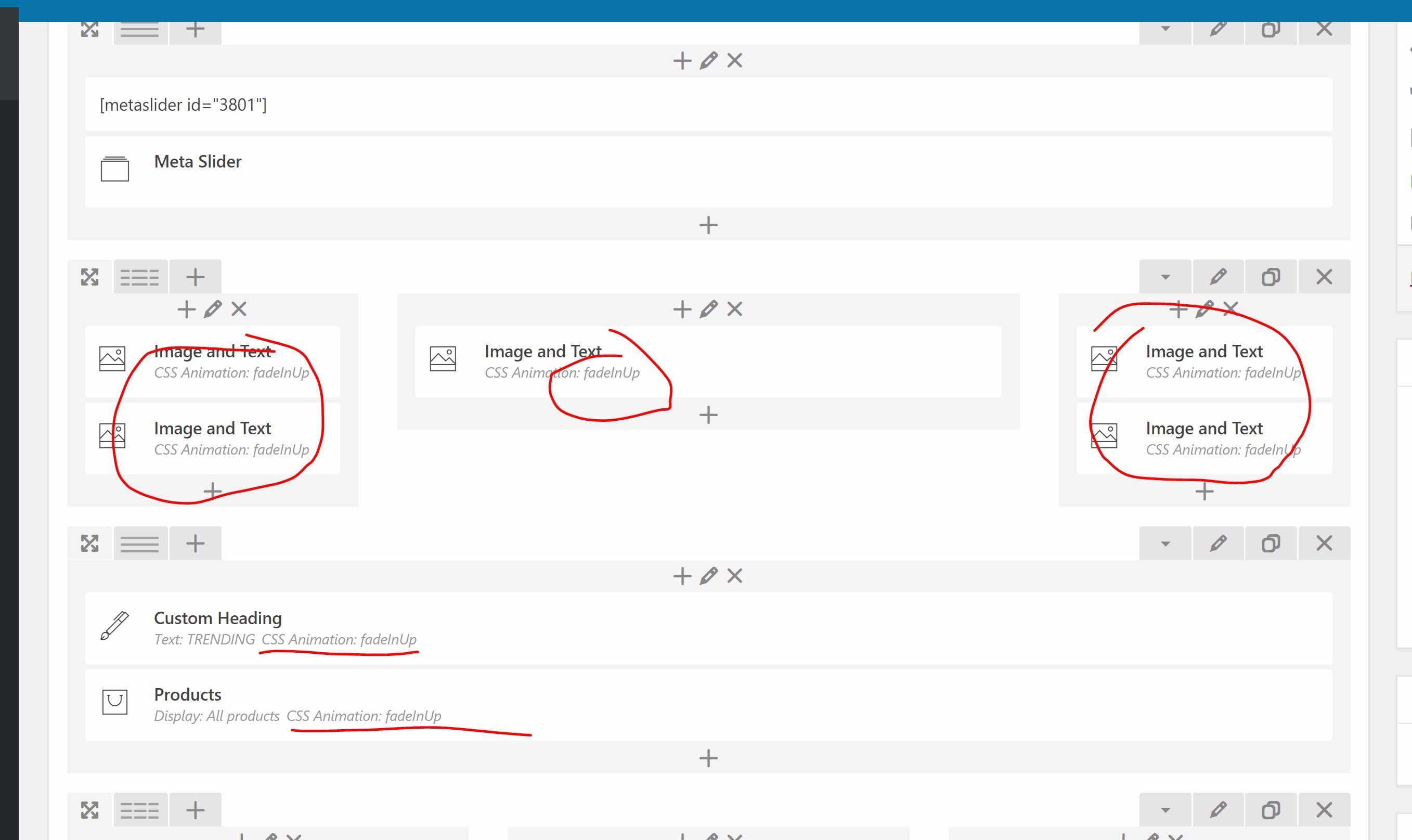
I set the CSS animation for all elements on the homepage to fadeinup. Unfortunately, it only works or the custom titles and not for images or products.
It works great for the lookbook page, but not for the homepage. On the homepage, the images and products just appear. Did I anything wrong?
Hi Krille,
Please reply on this topic so we can track your issue.
Add below code to Claue > Theme Option > General Layout > Custom CSS to fix issue
.term-description {
	display: block;
	text-align: center;
}
Regards
Harry
Premium Wordpress themes and plugins, Best WooCommerce theme https://themeforest.net/user/janstudio/portfolio?ref=janstudio
Hi Harry,
Today I was testing my coupon codes in cart and checkout page that I found some rtl css bugs.
The coupon code : look
Cart : http://take.ms/8qZD5
Checkout : http://take.ms/qX2cp
If you remember in this topic, you gave me a file for this fix, if these are going to get fix via files, I will appreciate your favor to share the fixed file with me.
Regards.
Rahim Vaziri
CEO & Founder at Look.ir
Hi,
Please add below code to Claue > Theme Option > General Layout > Custom CSS
.pm-slick .slick-arrow {
	background: #65affa !important;
}
and change #65affa with your color.
Regards
Harry
Premium Wordpress themes and plugins, Best WooCommerce theme https://themeforest.net/user/janstudio/portfolio?ref=janstudio
Hi Harry,
I am using this plugin for Woocommerce Emails : https://codecanyon.net/item/woocommerce-pretty-emails/9005845
which is not available right now.
This plugin overrides the default style of wordpress emails related to woocommerce like ordes, new user registrations…
But some other emails which are not related to woocommerce like, comment moderation, or contact form 7 email…
are still being send via default wordpress email system.
The problem that I have is the direction of default wordpress email.
Where is the css file of wordpress emails? I need to make the direction rtl in that.
Kind regards.
Rahim Vaziri
CEO & Founder at Look.ir
Hi Harry,
As you know there is an option for the guest visitor on the checkout page to login.
I need two help on this topic.
1- I have searched and tried many plugins and functions to be able to redirect the customer after login to current page but nothing find!!! All of them redirect people to the homepage or a certain page but not the current page.
Do you have any solution for this need?
This is really bad experience to login on the checkout page and then go to homepage!
2- when a visitor comes to my site via iphone 6 or 7 plus the fields of login to the account on the checkout page have bad css!
Check this : http://take.ms/dd9jw
On iphone smaller and larger like iphone 6 and x it’s fine.
Can you help me to make them like this? http://take.ms/dVfYA
Regards.
Rahim Vaziri
CEO & Founder at Look.ir
Hi Rahim,
It now custom for only your site, so i don’t add to rtl.css if have more user request this I will implement in rtl.css
Regards
Harry
Premium Wordpress themes and plugins, Best WooCommerce theme https://themeforest.net/user/janstudio/portfolio?ref=janstudio
Hi Harry,
This is solved now.
The code you gave me up here had two ” : ”
If you added this to rtl.css, please edit it.
Regards.
Rahim Vaziri
CEO & Founder at Look.ir
Hi,
4. Please add below code to Claue > Theme Option > General Layout > Custom CSS
.jas-menu > li:not(:first-child) {
margin-left: 0 !important;
}
.jas-menu > li > a {
padding: 0 18px;
}
2. I see the retina logo disappear, please clear cache on your browser and check again
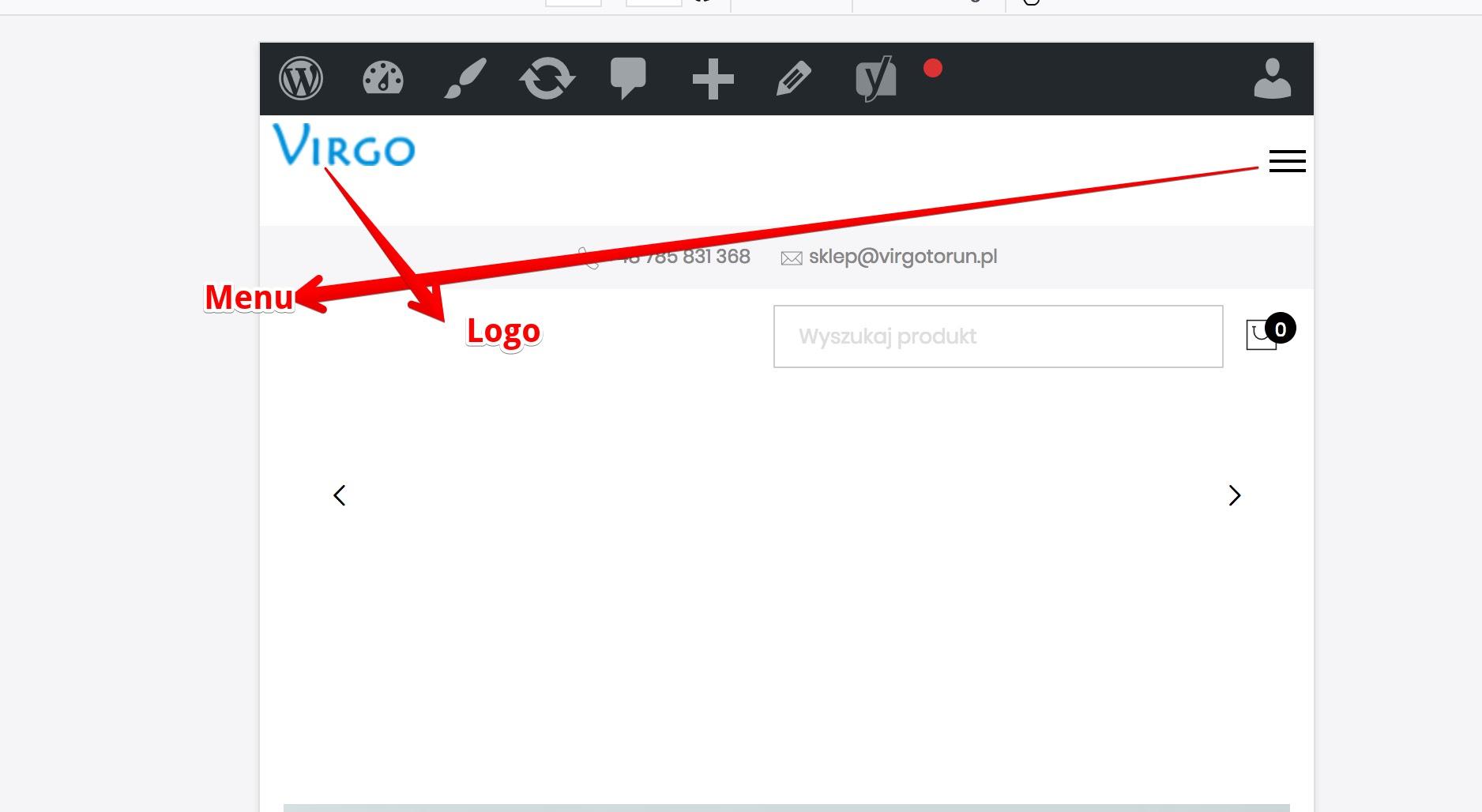
I recommend move menu and logo to a line with search box and cart icon, it’s better than now
Harry
Premium Wordpress themes and plugins, Best WooCommerce theme https://themeforest.net/user/janstudio/portfolio?ref=janstudio







