Hi,
I add the lines of css, now the button is in, but do not adjust.
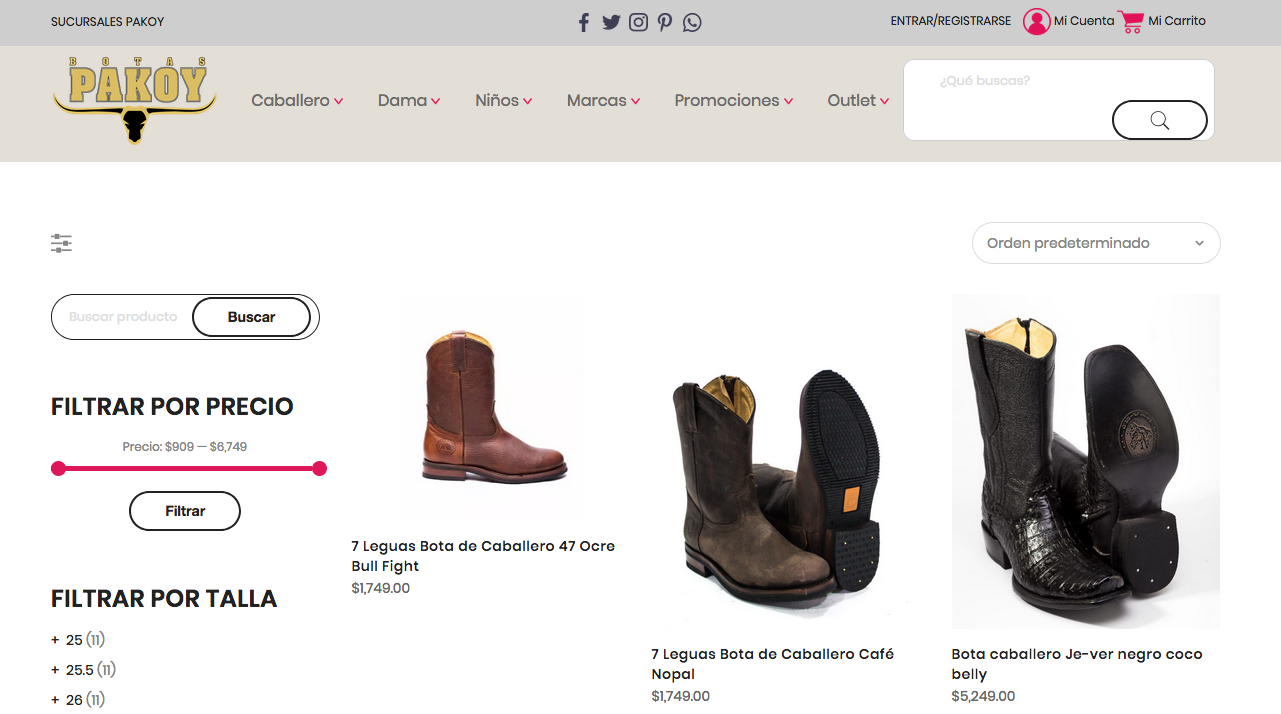
I need the search like the bar of woocomerce.
Thnaks!
Hi,
Please add below CSS code
#woocommerce-product-search-field-1 {
	border: none;
	background: none;
}
.woocommerce-product-search.hidden-sm {
	border: 1px solid #ccc;
	background: #FFF;
	border-radius: 15px;
}
Kind regards
Harry
Premium Wordpress themes and plugins, Best WooCommerce theme https://themeforest.net/user/janstudio/portfolio?ref=janstudio
Hi,
1. Please add below code to Claue > Theme Option > General Layout > Custom CSS
.content-quickview .product_meta .wcmp-abuse-report-title, .content-quickview .product_meta .by-vendor-name-link, .rtl .content-quickview .product_meta {text-indent: 0;}
Kind regards
Harry
Premium Wordpress themes and plugins, Best WooCommerce theme https://themeforest.net/user/janstudio/portfolio?ref=janstudio
Hi,
Please add below code to Claue > Theme Option > General Layout > Custom CSS
.jas-my-account .pe-7s-user {
	font-size: 24px;
}
.jas-my-account ul {
	left: 0;
}
Regards
Harry
Premium Wordpress themes and plugins, Best WooCommerce theme https://themeforest.net/user/janstudio/portfolio?ref=janstudio
Hey,
I am trying to find the id or class of the primary sidebar to make it sticky with the help of the WP Sticky Sidebar plugin.
To make this work the developer instructions are “Go to Settings / WP Sticky Sidebar and change Sticky Class to .your_sidebar_class or sidebar css id”. All posts I found require some sidebar_register in the function,php which I really don’t want to touch.
Thank you
Hi,
Please add below code to JanStudio > Theme Option > General Layout > Custom CSS
.ubermenu .ubermenu-item {display: !inline-block; float: none !important;}
Kind regards
Harry
Premium Wordpress themes and plugins, Best WooCommerce theme https://themeforest.net/user/janstudio/portfolio?ref=janstudio
Hi Karen,
Please add below code to Claue > Theme Option > General Layout > Custom CSS
.header-4 {
    height: auto !important;
}
Regards
Harry
Premium Wordpress themes and plugins, Best WooCommerce theme https://themeforest.net/user/janstudio/portfolio?ref=janstudio
Hi Mag,
I don’t think css cause site more slower. Could you try check with hosting supporter about performance.
Regards
Harry
Premium Wordpress themes and plugins, Best WooCommerce theme https://themeforest.net/user/janstudio/portfolio?ref=janstudio
hi sorry for confusion I know it work in theme options but I asked you before as soon as I added this code my product page start loading slower, so you said I can try to add it to claue child theme style.css No? if I the code in that file and remove from theme settings it doesn’t work, any way I am trying to find a way not to slow down the site, maybe I can edit the main claue file then and will be carefull when updating my theme what do you think?
Thank you! Now it all look perfect!
Only question I have tried to move the code below from theme settings to claue-child > style.css tosee it it will help load page faster but it doesn’t work from that file for some reason, could you please double check
/*above Claue related products*/
#tab-description{
padding-bottom:0px;
}
/*margin above product page tabs */
.woocommerce-tabs ul{
margin-top:-49px;
}
.jas-col-md-9 .product .woocommerce-tabs{
padding-top:0px;
}
/*Footer margins*/
#jas-content .jas-wc-single > .jas-container{
margin-bottom:-50px;
}
#jas-footer .footer__top{
padding-bottom:25px;
padding-top:25px;
}








