Harry,
I think there is no need of @media only screen and (min-width: 1025px) because I don’t want to have the placeholder on all resolutions and the 767px should be changed to the 960px or something less.
Beside this I didn’t find any string translation for the placeholder of the search widget in the theme.
If I had that I could hide it with one space instead of css use!
Am I right?
And for the first time I used the search feature and found that when the website finds the results, there is no sidebar in the result page, and the result page is so empty without any sidebar,
Check Here
How can I add primary sidebar in the results page?
Thank you.
Rahim Vaziri
CEO & Founder at Look.ir
Hi Harry,
No! I added the code to the functions.php and added the css you gave me to the style.css
You can see the results in my Blog page!
The only thing that happened is the space between the words and appearing the word “comment” there!
Rahim Vaziri
CEO & Founder at Look.ir
Hi Harry,
I already added that to the style.css but made it as a comment.
now it’s active but it’s not what I am looking for.
I would like to completely hide the comment numbers in that line.
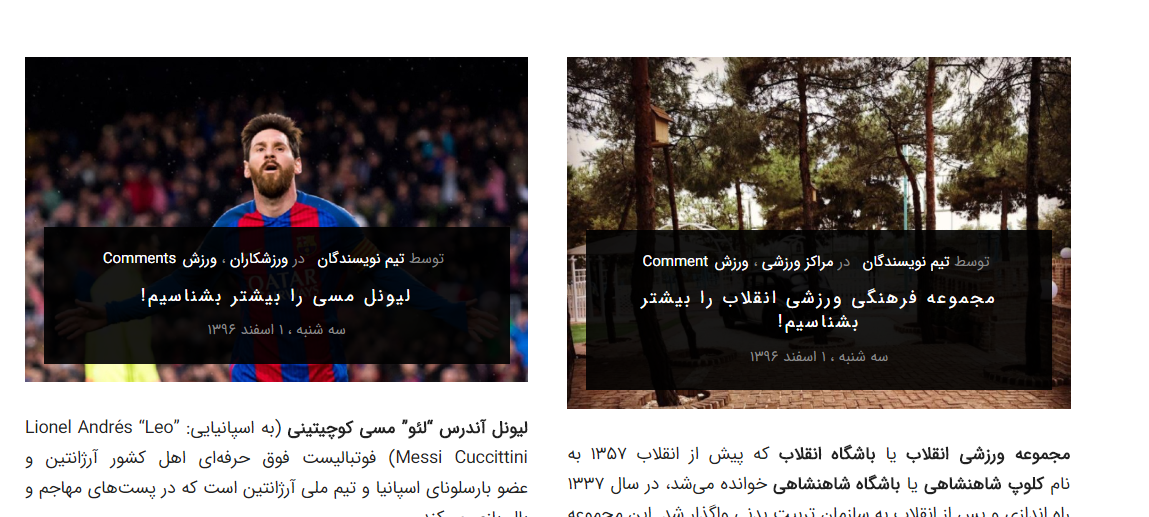
Rahim Vaziri
CEO & Founder at Look.ir
This reply has been marked as private.
Hi Rahim,
I checked and see you add custom css for text align left.
Please change to
input#billing_postcode {
    text-align: right;
}

input#username {
    text-align: right;
}
Harry
Premium Wordpress themes and plugins, Best WooCommerce theme https://themeforest.net/user/janstudio/portfolio?ref=janstudio
Hi,
1. You don’t need function to hide price with tax on child theme just use css code. Please show price with tax i will give you suggest code to hide on category page
2. You want always show 0 when user delete quantity value? Could you send me link of site where it work
3. Please go to WooCommerce > Settings > Email > New order > Manage > add your email to Recipient(s)
4. Please add below code to Claue > Theme Option > General Layout > Custom CSS
.product-image .product-attr p {
    overflow: hidden;
    display: inline-block;
    text-overflow: ellipsis;
    white-space: nowrap;
    width: 100%;
}
Best regards
Harry
Premium Wordpress themes and plugins, Best WooCommerce theme https://themeforest.net/user/janstudio/portfolio?ref=janstudio
Hi Harry,
Could you please check this : http://take.ms/kQRxN
You can see that in the Look.ir/mag
How can I fix the space?
It’s translation or css?
Thank you.
Rahim Vaziri
CEO & Founder at Look.ir
Hi Harry,
I have added these custom codes for overriding the checkout page :
/* woocommerce checkout fields */

.woocommerce form .form-row-first,
.woocommerce form .form-row-last {
    float: right;
}

.woocommerce form .form-row-last {
    float: left;
}

p#billing_city_field {
    /*  float: right;
    width: 100%;*/
}
input#username {
    text-align: left;
}

input#billing_phone {
    text-align: left;
    direction: ltr;
}

p#billing_postcode_field {
    float: left;
}

input#billing_postcode {
    text-align: left;
}

input#billing_email, input#billing_email-2 {
    text-align: left;
}

.validate-postcode {
    width: 100%;
}

input:not([type="submit"]):not([type="checkbox"]),
textarea,
select {
    font-family: 'IRANSans', sans-serif;
}
If you check my checkout page you will see that in the desktop view it’s fine.
But in the mobile view after the update, the field of address has moved and the field of city has gone to the next line.
How can I fix it?
Thank you. 🙂
Rahim Vaziri
CEO & Founder at Look.ir
Hi,
1. I don’t see price with tax on your site so can’t style
2. Please download attach file, extract and put in claue-child > woocommerce > global
3,4. Please add below code to Claue > Theme Option > General Layout > Custom CSS
.page-head h1 {color: #0192dd;}
@media only screen and (min-width: 62em) {
.products .jas-col-md-3 {
padding-left: 0.5rem;
padding-right: 0.5rem
}}
Best regards
Attachments:
You must be
logged in to view attached files.
Harry
Premium Wordpress themes and plugins, Best WooCommerce theme https://themeforest.net/user/janstudio/portfolio?ref=janstudio
hello, after working a little on the theme css variations products are no longer visible. I need your help, thank you.








