
-
Search Results
-
Hello hello,
So far I have had great success with your theme, however, I recently updated to the latest version (1.05)and noticed it has changed the related image sizes to something very small. I have played with various settings and cannot change this. I updated manually, replacing only the files needed to update.
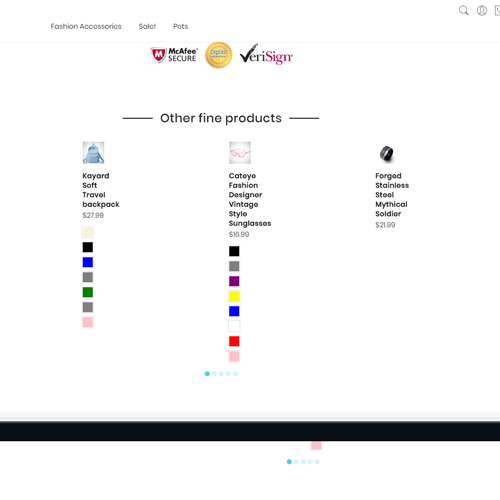
Thought I have made a mistake with updating manually, but then I tried a fresh install of 1.05, and it still has the same problem.
My solution was to restore some liquid files from the previous version(1.04), probably product-related.liquid I think, somehow I fixed it.
So Now I have version 1.05 with bits of 1.04 just to work properly. This is the version I currently have published. But somehow in the process, I have lost my image carousel below product page main image.
Can this be fixed?
also, one thing can I ask, can the masonry layout have that little fancy zoom option like banners, with some extra CSS code?
Thank you so much in advance!
Russell.
[Resolved]Topic: Custom Css
Hello Harry,
I think my site has been hacked somehow, it started to redirect to spam sites and when I reloaded the server it doesn’t open,
before I will go back to one of my older backups could you please let me know which is the file where all custom css code is saved, so I can try to get the latest version I had.
Best regards
I wasn’t sure if I needed to open a new topic to get my posts yesterday to trigger an alert/ garner attention on your end but I just wanted to add to that as well as bring two your attention two additional issues I have found. I am very far along in the editing process with my shop so having these issues resolved would be amazing and would certainly be helpful for the other almost 200 people who have bought the theme thus far as well! I’m building on 1.05.
- Unresolved variant issue chain : http://support.janstudio.net/forums/topic/thumbnails-for-just-one-variant/#post-22792 + (post #22790), I found an example within your own Claue demo where the variant image switching by both Color Swatch and size variants occurs : https://claue-from-janstudio.myshopify.com/products/mercury-tee?variant=8398882832427 – I thought that perhaps being able to see it directly on your own demo may make it easier to resolve? I was not able to find an instance within your demo where the Photo goes blank when a random variant was selected but given that both user Chris and I both had the same exact issue hopefully that will be worked out with the fix.
- Please see attachment- when you type, for example “shirt” in the search box on your demo page here: https://claue-from-janstudio.myshopify.com/products/mercury-tee?variant=8398882832427 you can see that the search-result .div pushes up past the top of the screen so not only can you not see the top or bottom of the box, you cannot scroll Y AND each time you close and re-open the search overlay the previous search still appears (see attachment). Is there a way you can clean that up so that the search function is actually usable? can you have it LIMIT the results that appear to say maybe 5 and then at bottom of the search-result .div have the “Show all search results” bar that just links to the actual search results page? Additionally it would be nice to have it CLEAR OUT the search whenever the X is clicked to close out the window so that when someone clicks the mag glass again they can start fresh without having to manually delete out the previous search term…
- The Popup. Hah, I mean it’s just overwhelming to have that guy popping up on EVERY SINGLE page on every single page load or refresh! While I can accomplish almost anything myself with CSS and html, messing with JS and liquid isn’t exactly my strong suit, so while I can easily move the {% include %} so that it only opens on say the homepage but it’s just relentless to have it appear every single time some navigates home OR refreshes the page – and I do not have the skill set to modify the JS to include options. Referring back to the Tea Themes Claue they had all kinds of options built into their Dashboard that allowed for control of what pages to show on as well as, most importantly, duration of time in between reappearing after being closed (attachments). Is that something that you guys could build into our version here – it wold be immensely helpful, otherwise to use the popup as is is almost counter-productive because it’s far too invasive. I have added a couple of screen grabs from Tea’s version.
I hate to overwhelm and or bombard you with all of that but I have worked within your Claue template extensively the last 4-6 weeks and those are the only THREE major issues that I have come across. Excellent otherwise. Thank you very much for your attention to these three matters.!
Kindly,
Ryan
[Resolved]Topic: css problems


Support Forum
We will do our best to assist you with any issues related to our themes and plugins.
Response time up to 1-2 business days.
Our timezone:5:41 AM
Your timezone:






