
-
AuthorSearch Results
-
May 16, 2018 at 5:13 pm #20588
In reply to: Icon colour change
Hi,
You can change color by add custom css code in Theme Settings > Custom Code > Custom CSS
.topbar a {color: #1e1e1e;}and change #1e1e1e with your color.
Best regards
Harry
Premium Wordpress themes and plugins, Best WooCommerce theme https://themeforest.net/user/janstudio/portfolio?ref=janstudioMay 16, 2018 at 10:07 am #20564In reply to: Sign up Form
Hi,
1. I help you changed style of signup form by change HTML code of form in Mailchimp for WP > Form
2. I added CSS code in JanStudio > Theme Option > General Layout > Custom CSS
.signup-newsletter-form {
	border: 1px solid #cdcdcd;
	border-radius: 50px;
}
Best regards
Harry
Premium Wordpress themes and plugins, Best WooCommerce theme https://themeforest.net/user/janstudio/portfolio?ref=janstudioMay 16, 2018 at 1:23 am #205551) Do you see it now the background?
Is the css code good?2) With me, it’s not perfect. But you can do what you want.
Give me yours?
May 15, 2018 at 9:49 pm #20530In reply to: Under product direct size, color, brand writing?
This work good on standart css, but for responsive css is bad. What can i do? Can u help me?
<!–more–>
.product-image .product-attr {
bottom: 0;
left: 0;
right: 0;
position: relative;
color: #222;
text-align: left;
margin-top: 10px;
opacity: 1;
visibility: visible;
}May 15, 2018 at 9:34 pm #20526Hi,
1. The new css to fix background of button on map. I see you still use old code, please replace with the new code today.
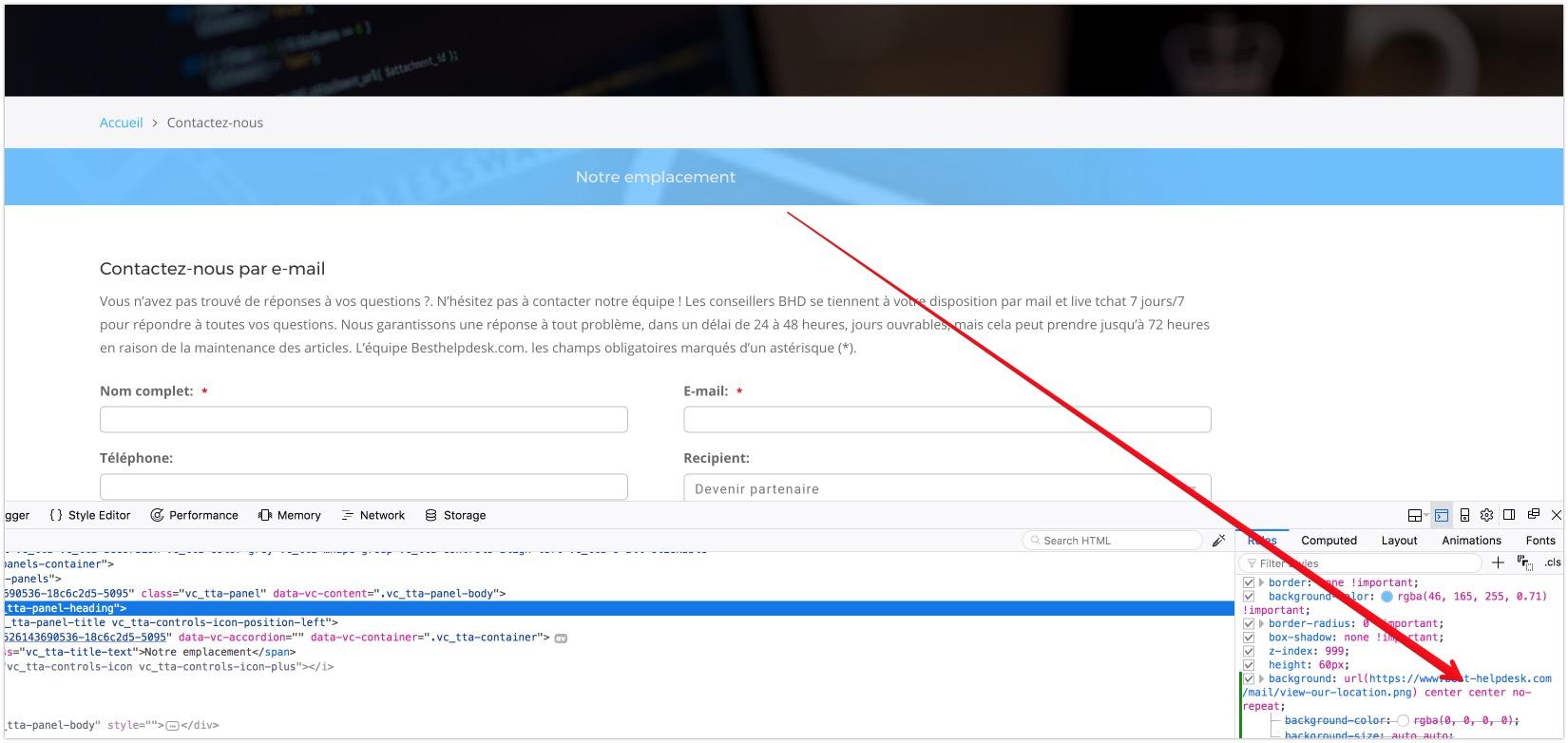
2. It now have more blank space on left column it not balance left-right.
Harry
Premium Wordpress themes and plugins, Best WooCommerce theme https://themeforest.net/user/janstudio/portfolio?ref=janstudioMay 15, 2018 at 5:02 pm #20513In reply to: Remove Side Menu & Related Products
Hi,
Please add below code to JanStudio > Theme Option> General Layout > Custom CSS
.product-extra {display: none;}
@media only screen and (min-width: 1025px) {
.jas-push-menu-btn {display: none;}
}
Best regards
Harry
Premium Wordpress themes and plugins, Best WooCommerce theme https://themeforest.net/user/janstudio/portfolio?ref=janstudioMay 15, 2018 at 4:01 pm #20501In reply to: Checkout Payment Methods
Hi,
Sorry i check on Chrome don’t see but on Firefox it show.
Please add below code to Theme Settings > Custom Code > Custom CSS
.alt-payment-list-container, .additional-checkout-buttons {display: none;}Best regards
Harry
Premium Wordpress themes and plugins, Best WooCommerce theme https://themeforest.net/user/janstudio/portfolio?ref=janstudioMay 15, 2018 at 12:41 am #20444In reply to: Under product direct size, color, brand writing?
Hi,
Please go to JanStudio > Theme Option > WooCommerce > Product Listing Settings > Enable Products Attribute On Product List and check in size, color and brands
and add below code to JanStudio > Theme Option > General Layout > Custom CSS
.product-image .product-attr {
bottom: 0;
left: 0;
right: 0;
position: relative;
color: #222;
text-align: left;
margin-top: 10px;
opacity: 1;
visibility: visible;
}
Best regards
Harry
Premium Wordpress themes and plugins, Best WooCommerce theme https://themeforest.net/user/janstudio/portfolio?ref=janstudioMay 14, 2018 at 10:15 pm #20420In reply to: Photos not aligned on desktop
Hi,
We have received your review on Themeforest. Thank you so much. Back to your question, please use the custom CSS code below
.product__price--original { color: red; }
.product__price--sale { color: green; }
.product__badge { display: none; }
May 14, 2018 at 4:48 pm #20404Hi,
1) I mean that the background of the image for the button is still not displayed
even after adding all the css?2) not included
Thank you
-
AuthorSearch Results


Support Forum
We will do our best to assist you with any issues related to our themes and plugins.





