
-
AuthorSearch Results
-
March 21, 2018 at 10:06 am #18375
In reply to: Single column product listing on mobile and desktop
Hi,
Please add below code to JanStudio > Theme Option > General Layout > Custom CSS
.jas-col-md-0 {
	flex-basis: 100% !important;
	max-width: 100%  !important;
	-webkit-flex-basis: 100%  !important;
	-ms-flex-preferred-size: 100%  !important;
}
Best regards
Harry
Premium Wordpress themes and plugins, Best WooCommerce theme https://themeforest.net/user/janstudio/portfolio?ref=janstudioMarch 20, 2018 at 11:44 pm #18357In reply to: Single column product listing on mobile and desktop
Thanks for the screenshot however it does not resolve my issue.
The screenshot I sent shows that the product (and not “products”) element is being squeezed inside the column
This is the layout I need to use:
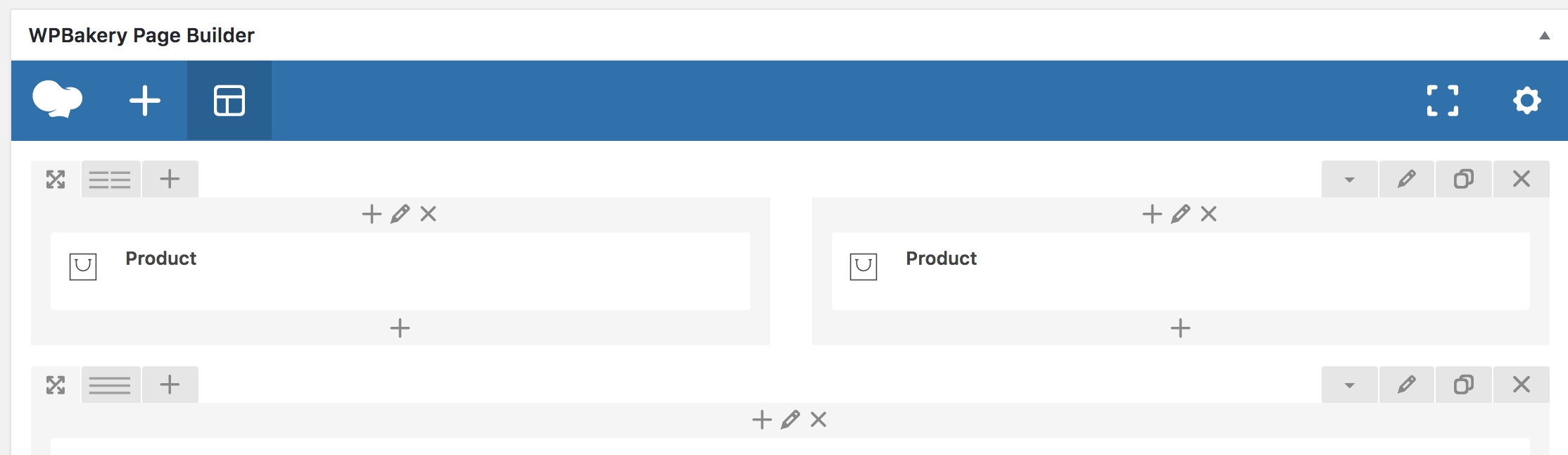
This is the result:
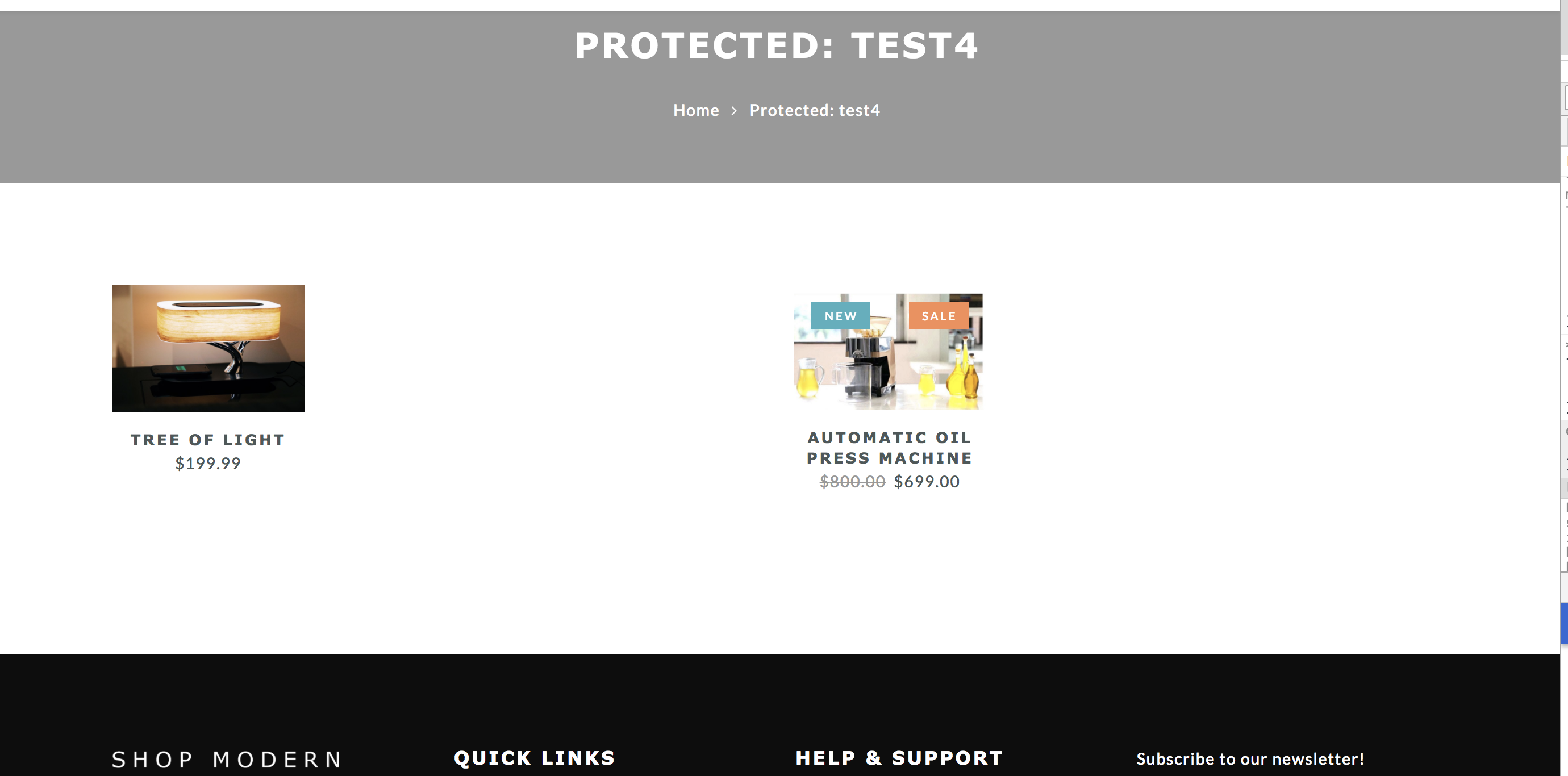
>>The single ‘product’ needs to be scaled up to use 100% of the column width. I’m not able to target the product element to get the effect of using 100% width /w vertical scale to aspect ratio in my css attempts..
March 20, 2018 at 6:59 pm #18344In reply to: Add only return tab to product details page
Hi,
This is not issue related to CSS and JS file please follow this topic https://varvy.com/pagespeed/render-blocking-css.html
I saw your site load bigger image it make site slow and low score.
Please resize these image http://take.ms/5Pprs
https://gtmetrix.com/reports/simtacauto.com/TohKr49oBest regards
Harry
Premium Wordpress themes and plugins, Best WooCommerce theme https://themeforest.net/user/janstudio/portfolio?ref=janstudioMarch 20, 2018 at 6:52 pm #18342In reply to: Add only return tab to product details page
<h2>Urgent!!!!!!!!!!</h2>
Hi,Please fix the issues related to css and js asap.
Please find screenshots for reference.
Regards,
Attachments:
You must be logged in to view attached files.March 20, 2018 at 4:44 pm #18336In reply to: Change Header Size
Hi,
1. I try to access your site but can’t. Did you try crop blank on top and bottom of your logo?
2. Please add below code in Claue > Theme Option > General Layout > Custom CSS
.jas-action > .jas-icon-cart {
	display: none;
}
Best regards
Harry
Premium Wordpress themes and plugins, Best WooCommerce theme https://themeforest.net/user/janstudio/portfolio?ref=janstudioMarch 20, 2018 at 3:12 pm #18332In reply to: Add only return tab to product details page
This reply has been marked as private.March 20, 2018 at 2:47 pm #18331In reply to: Mobile Shop Help
Hi,
Please add below code to JanStudio > Theme Option > General Layout > Custom CSS
.badge span { background: red;}
@media only screen and (max-width: 736px) {
.products .jas-col-xs-12 {
	flex-basis: 100%;
	max-width: 100%;
}
}
Best regards
Harry
Premium Wordpress themes and plugins, Best WooCommerce theme https://themeforest.net/user/janstudio/portfolio?ref=janstudioMarch 19, 2018 at 6:38 pm #18316In reply to: Add only return tab to product details page
Hi,
Please reply us on this topic for us easy to track your issue.
To optimize css and js please use this plugin https://wordpress.org/plugins/wp-super-cache/ and https://wordpress.org/plugins/autoptimize/ and optimize your images before upload https://tinypng.com/
Best regards
Harry
Premium Wordpress themes and plugins, Best WooCommerce theme https://themeforest.net/user/janstudio/portfolio?ref=janstudioMarch 19, 2018 at 1:46 am #18303In reply to: help with some things
Hi,
1. Please go to Claue > Theme Option > Header > Mobile Menu Icon and upload your image
2,5. Please add below code to Claue > Theme Option > General Layout > Custom CSS
.jas-my-account ul {background: #0a0a0a}
@media only screen and (max-width: 414px) {
.metaslider img {
	height: 150px !important;
}
}
3.
– Please add sale schedule for product http://take.ms/T2Gr17
– Add product element for page builder and follow this screenshot http://take.ms/MwHUD4. I’m sorry this plugin doesn’t support choose quantity of other products, it only have option to choose variation of product.
Best regards
Harry
Premium Wordpress themes and plugins, Best WooCommerce theme https://themeforest.net/user/janstudio/portfolio?ref=janstudioMarch 17, 2018 at 9:24 am #18278In reply to: Add only return tab to product details page
Hi,
1. You can set different shipping charge for separate product by edit this product and click on shipping tab and choose shipping method http://take.ms/pGLri
2. The social icon on product detail doén’t support send email you can hide google-plus and pinterest by add below code to Claue > Theme Option > General Layout > Custom CSS
.jas-social a.google-plus, .jas-social a.pinterest {display: none;}Best regards
Harry
Premium Wordpress themes and plugins, Best WooCommerce theme https://themeforest.net/user/janstudio/portfolio?ref=janstudio -
AuthorSearch Results


Support Forum
We will do our best to assist you with any issues related to our themes and plugins.




