Home Forums Search Search Results for 'css'

Viewing 10 results - 31 through 40 (of 3,133 total)
  • Author
    Search Results
  • Esteban
    Participant

    Hi.
    I buy a licence the request a quote plugin, again, and I have a problem, again, like before.
    The botton of the plugin, isnot apear in front in all page , shop , category, etc. Apear only in the single product page.

    Some time before, you can resolve this, with a css code insert in the  adicional css option:

    “Whenever you need to show the add to quote button on a custom page or in a specific place of the page, you can rely on this shortcode: [yith_ywraq_button_quote] “.
    If posivel, send me to de ccs code, to add too the mini quote cart :

    “The following shortcode lets you add the mini cart widget anywhere on your site where you can enter some text:[yith_ywraq_mini_widget_quote] “.

    I atach a 2 files to see more a less like should be. Its more easy to customer make a choice and maker quotes .
    We dont sale diretly by the web, is to danger.

    I hope you can help me in a soon time, and I create a user and password to you if need acess the site.

    Feliz ano novo 2023. Happy New year 2023 and many great big and good moment to the future.

    Attachments:
    You must be logged in to view attached files.

    Esteban - indiafactorybr.com.br

    #43534
    bidhisaklani
    Participant

    In Mobile Device One Item Per Row Requires. Currently it is showing two item per row. Where i change setting or send me css if any for this

    #43488

    In reply to: Width 2560

    Hi,

    Please add custom CSS in Claue > Theme Option > General Layout > Custom CSS

    .page-id-6791 #jas-wrapper {width: 2560px;}

    and change 6791 with your page ID number.

    Kind regards

    Harry
    Premium Wordpress themes and plugins, Best WooCommerce theme https://themeforest.net/user/janstudio/portfolio?ref=janstudio

    #43362
    jodyasatre
    Participant

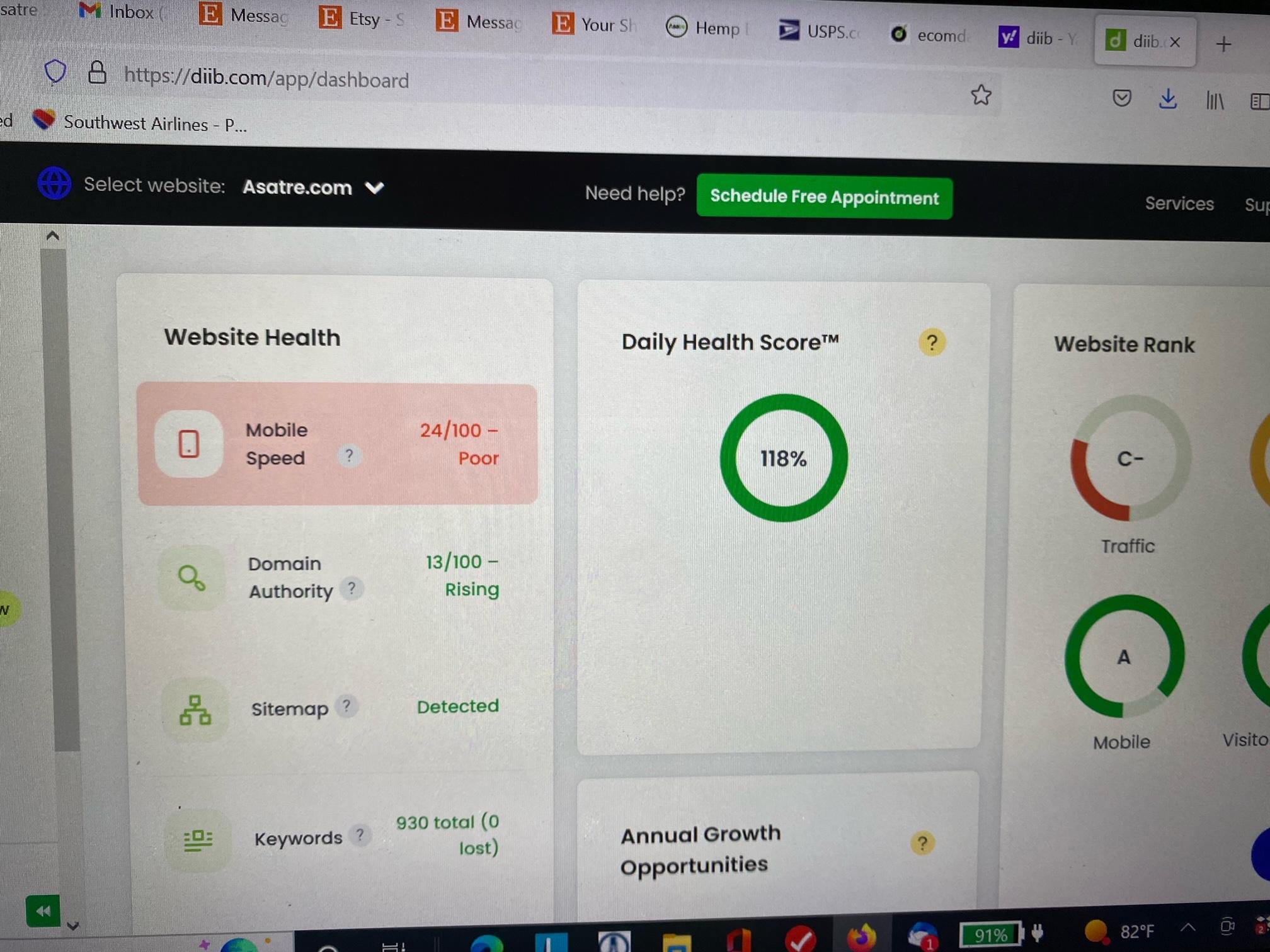
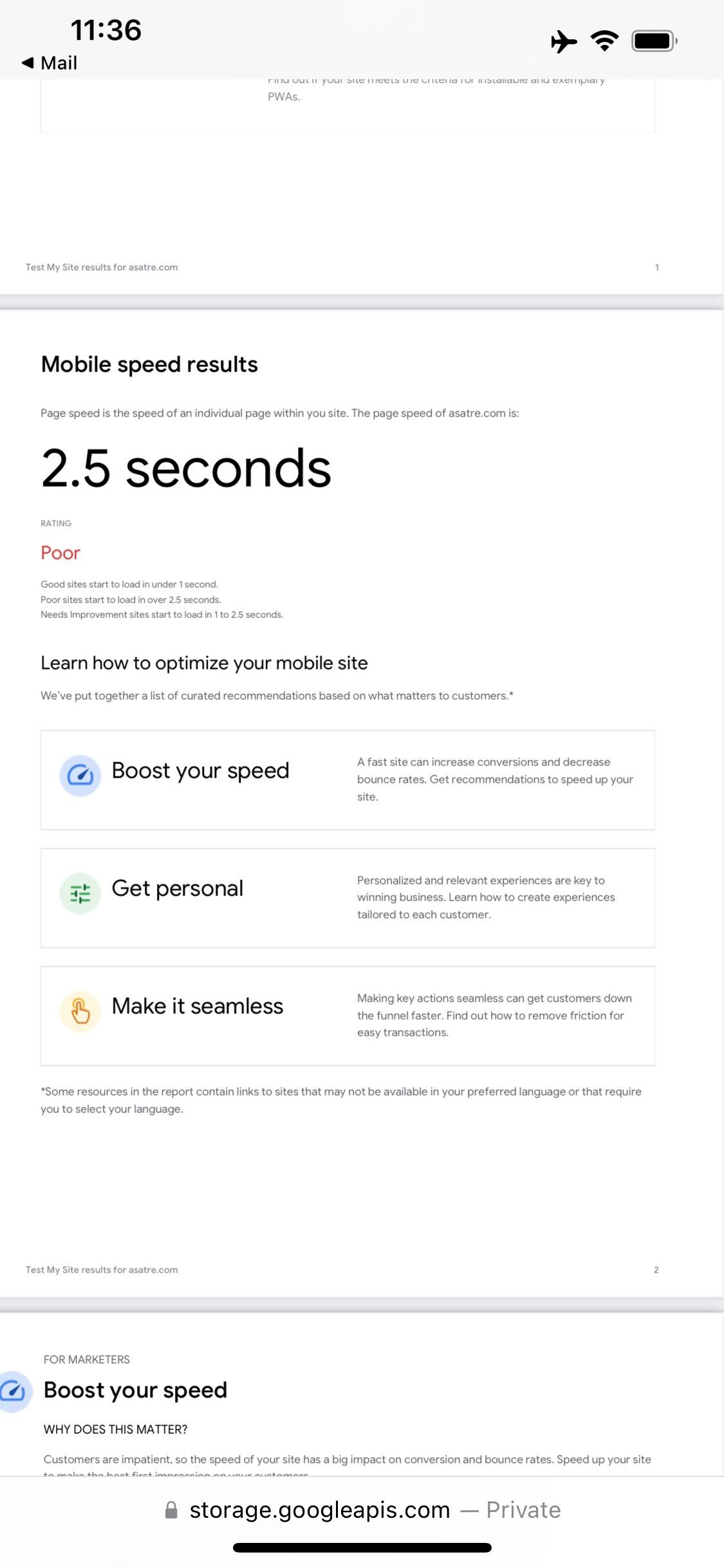
    Since the very beginning, mobile performance is poor and is now a major problem for our SEO.  We have tried multiple caching plugins without helping. We also tried minifying CSS, java script, etc with numerous plugins but that breaks the site.  Our developer is recommending changing templates.  Can you resolve mobile performance issues with the Claue template?

    Asatre.com   ID=clauesupport PW=ClaueSupport2022#
    #43361

    Hi,

    If you want this area white on mobile please add below code tob Claue > Theme Option > General Layout > Custom CSS

    @media only screen and (max-width: 736px) {

    #jas-header {
    background-color: #ffffff;
    }}

    Kind regards


    Harry
    Premium Wordpress themes and plugins, Best WooCommerce theme https://themeforest.net/user/janstudio/portfolio?ref=janstudio

    #43349
    ateacme
    Participant

    Hi, I’ve noticed that on mobile devices whit “dark mood” settings for display, our website labartdog.com lost their basic colors, even header so the logo – brown and light-blue on transparent background – was only barely visible.

    I’ve temporary changed the png logo with a jpg but still menu icons on the left is not visible…


    is there a way to have more control on colors on mobile devices with that specific kind of settings?

    Maybe I skipped some theme options? Or I can fix it with a little custom css code?

    Attachments:
    You must be logged in to view attached files.
    #43335

    Hi Cair,

    Please add below code to JanStudio > Theme Option > General layout > Custom CSS

    body {
    color: #333 !important;
    }

    And change #333 to your color

    Kind regards

    Harry
    Premium Wordpress themes and plugins, Best WooCommerce theme https://themeforest.net/user/janstudio/portfolio?ref=janstudio

    #43297

    Hi,

    Please add to JanStudio > Theme Option > General Layout > Custom CSS


    Kind regards

    Harry
    Premium Wordpress themes and plugins, Best WooCommerce theme https://themeforest.net/user/janstudio/portfolio?ref=janstudio

    #43266

    Hi Ak,

    Please add below code to Claue > Theme Option > General Layout > Custom CSS

    .single-product header, .single-product footer, .single-product .jas-breadcrumb {display: none;}

    If you want apply this for only mobile please change code to

    @media only screen and (max-width: 767px) {

    .single-product header, .single-product footer, .single-product .jas-breadcrumb {display: none;}

    }

    Kind regards


    Harry
    Premium Wordpress themes and plugins, Best WooCommerce theme https://themeforest.net/user/janstudio/portfolio?ref=janstudio

    #43237

    In reply to: Hover color change

    Hi,

    You can change color hover by add below code to Claue > Theme Option > General Layout > Custom CSS


    .product-image a.db::before {
    background: rgba(0, 0, 0, 0.1);
    }

    and change 0,0,0 to RGB color and 0.1 as opacity of color from 0.0 to 1.0


    Kind regards

    Harry
    Premium Wordpress themes and plugins, Best WooCommerce theme https://themeforest.net/user/janstudio/portfolio?ref=janstudio

Viewing 10 results - 31 through 40 (of 3,133 total)