
-
AuthorSearch Results
-
May 28, 2019 at 12:22 pm #31432
In reply to: Disable Continue Reading boton
Hi Yangguole,
1. Please go to Theme Option > Blog > Content display on blog list > excerpt and copy file content.php in claue > views > post to claue-child > views > post and delete code in line 24.
2. Please add below code to claue-child > functions.php
if ( ! function_exists( 'jas_claue_post_thumbnail' ) ) {
	function jas_claue_post_thumbnail() {
		?>
			<div class="post-thumbnail pr mb__25">
				<div class="inside-thumb">
					<?php jas_claue_post_title(); ?>
				</div>
			</div>
		<?php
	}
}
and add below code to file content.php you put in claue-child > views > post to line 27
<?php jas_claue_posted_on(); ?>
<?php jas_claue_post_meta(); ?>
3. Add below code to Claue > Theme Option > General Layout > Custom CSS
.single .page-head time, .single .page-head .mt__10 { display: none;}Kind regards
Harry
Premium Wordpress themes and plugins, Best WooCommerce theme https://themeforest.net/user/janstudio/portfolio?ref=janstudioMay 27, 2019 at 8:42 am #31419Hi,
Just copy code and paste in JanStudio > Theme Option > General Layout > Custom CSS.
Kind regards
Harry
Premium Wordpress themes and plugins, Best WooCommerce theme https://themeforest.net/user/janstudio/portfolio?ref=janstudioHi Rahim,
I feel the space not much. If you want reduce space, please add below css code
.jas-blog .posts,
.jas-blog .sidebar {
	margin-top: 30px;
}
Regards
Harry
Premium Wordpress themes and plugins, Best WooCommerce theme https://themeforest.net/user/janstudio/portfolio?ref=janstudioMay 27, 2019 at 12:10 am #31416In reply to: disable cart icon
Hi,
1. Please add below code to Claue > Theme Option > General Layout > Custom CSS
.jas-icon-cart.pr {
	display: none;
}
2. Please go to Claue > Theme Option > WooCommerce > Product Detail Settings > “Size Guide” “Delivery & Return” and remove size guide image and Delivery & Shipping content
3. I’m sorry on search page can’t add meta description, on product category you can add description to show.
Kind regards
Harry
Premium Wordpress themes and plugins, Best WooCommerce theme https://themeforest.net/user/janstudio/portfolio?ref=janstudioMay 27, 2019 at 12:05 am #31415Hi,
Please add below code to JanStudio > Theme Option > General Layout > Custom CSS
.header__transparent {
	max-width: 1170px;
}
Kind regards
Harry
Premium Wordpress themes and plugins, Best WooCommerce theme https://themeforest.net/user/janstudio/portfolio?ref=janstudioMay 24, 2019 at 6:44 pm #31382In reply to: Custimazation of Product Category Header
The first code broke the side.
For the second thing, the CSS code works nice for mobile. Thanks for that. Do you could make it work for desktop as well? 🙂
May 24, 2019 at 4:31 pm #31378In reply to: Custimazation of Product Category Header
Hi Florian,
1. Please add below code to claue-child > functions.php
function jas_claue_wc_page_head() {
	if ( ! cs_get_option( 'wc-enable-page-title' ) || ( class_exists( 'WCV_Vendors' ) && WCV_Vendors::is_vendor_page() ) ) return;

	$title = cs_get_option( 'wc-page-title' );

	$output = '<div class="pr tc"><div class="jas-container pr">';
		if ( is_search() ) {
			$output .= '<h1 class="mb__5">' . sprintf(__( 'Search Results for: %s', 'claue' ), '<span>' . get_search_query() . '</span>' ) . '</h1>';
		} elseif ( is_shop() ) {
			$output .= '<h1 class="mb__5">' . esc_html( cs_get_option( 'wc-page-title' ) ) . '</h1>';
			//$output .= '<p class="mg__0">' . do_shortcode( cs_get_option( 'wc-page-desc' ) ) . '</p>';
		} else {
			// Remove old position of category description
			remove_action( 'woocommerce_archive_description', 'woocommerce_taxonomy_archive_description', 10 );

			$output .= '<h1>' . single_cat_title( '', false ) . '</h1>';
			//$output .= do_shortcode( category_description() );
		}
		ob_start();
		$output .= ob_get_clean();
	$output .= '</div></div>';

	echo wp_kses_post( $output );
}
add_action( 'woocommerce_before_main_content', 'jas_claue_wc_page_head', 15 );
2. Please add below code to claue-child > style.css
@media only screen and (max-width: 736px) {
.term-19 .shop-top-sidebar .woocommerce {
	min-width: 2850px;
}
.term-18 .shop-top-sidebar .woocommerce {
	min-width: 1850px;
}}
Kind regards
Harry
Premium Wordpress themes and plugins, Best WooCommerce theme https://themeforest.net/user/janstudio/portfolio?ref=janstudioMay 24, 2019 at 3:27 pm #31372In reply to: Custimazation of Product Category Header
Hi Florian,
Please change code in claue-child > funtions.php and remove class “page-head”
in code http://prntscr.com/nspng5
and add below code to claue-child > style.css
.jas-container.pr h1.cw {color: #222;}Kind regards
Harry
Premium Wordpress themes and plugins, Best WooCommerce theme https://themeforest.net/user/janstudio/portfolio?ref=janstudioMay 24, 2019 at 11:39 am #31363Topic: Creating parallax bg-image with Visual Composer issue
in forum Claue 2playersParticipant
Hi,
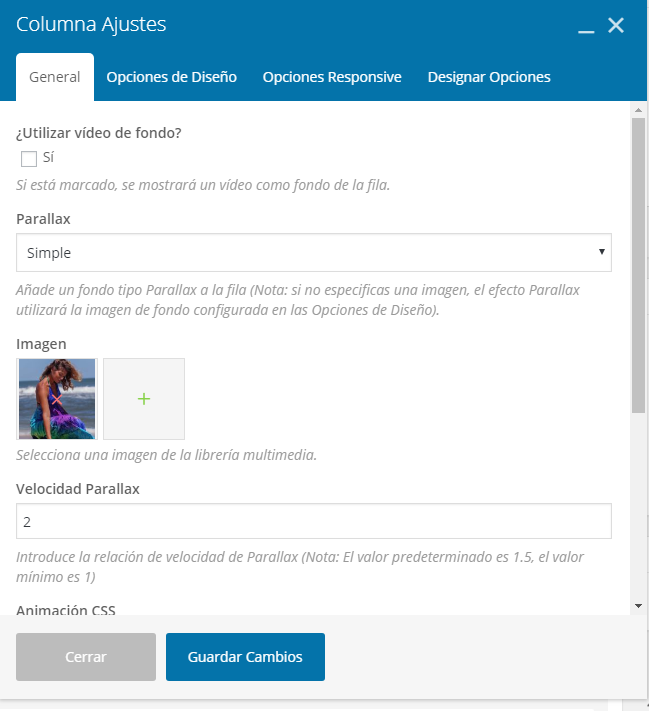
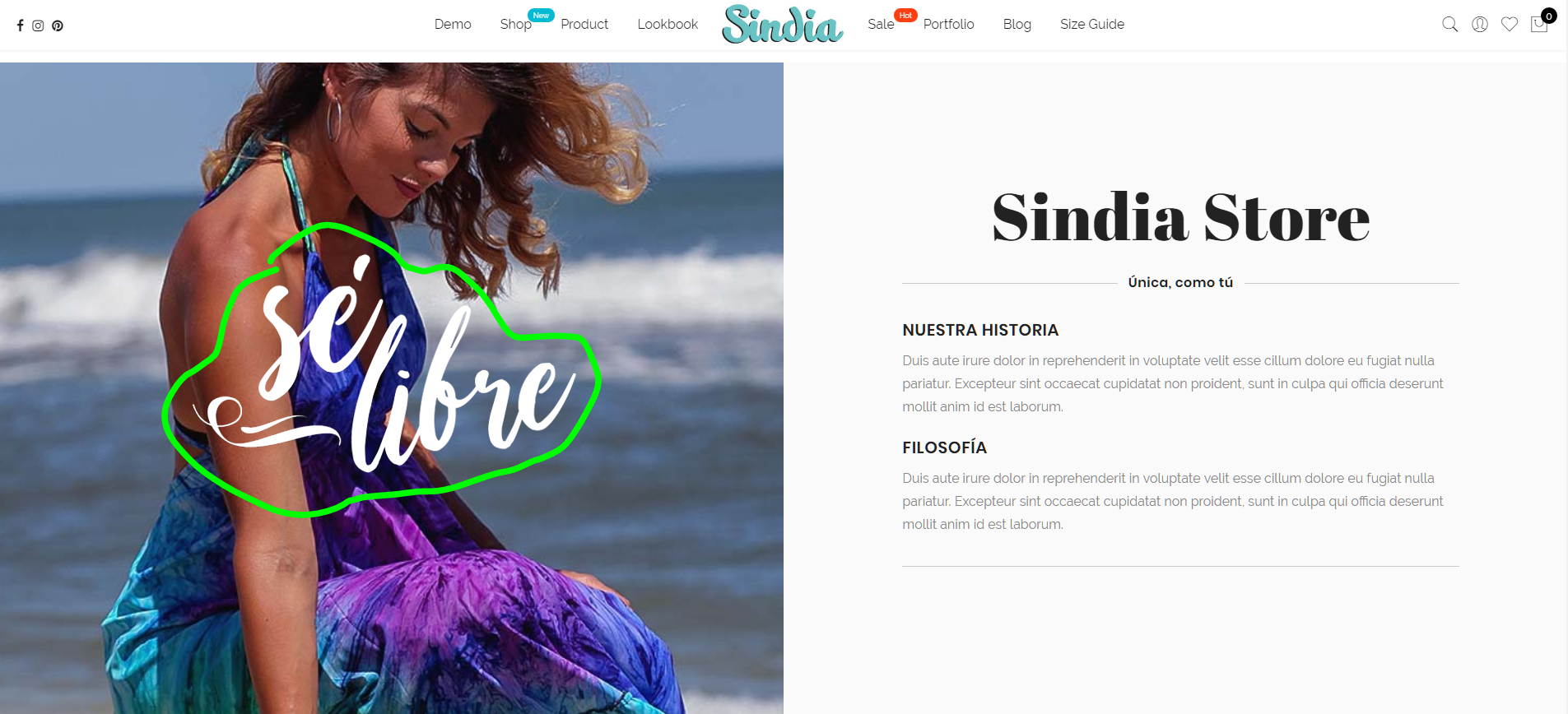
I’m trying to make a fixed or parallax bg but it seems not working.
Here is how I made the BG with a lettering in front of it.
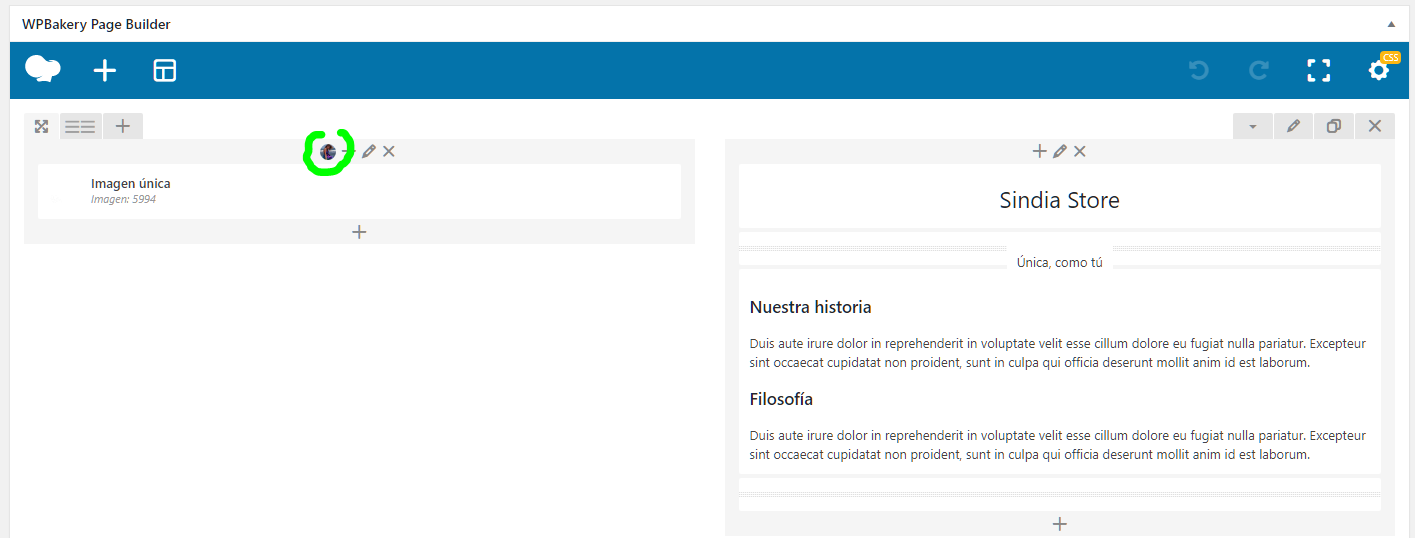
settings (I also tried to put a CSS class and make it bg-attach: fixed. and it didn’t work)
The idea is to make the letters move in different speed than the BG. Fixed or parallax I can’t do it.
 May 24, 2019 at 5:48 am #31362
In reply to: For Sale Badge (Showing Twice)
Hi,
Please add below code to Claue > Theme Option > General Layout > Custom CSS
.product-image-flip .back + .yith-wcbm-badge {display: none;}Btw, your support expired. Could you please renew your support at https://themeforest.net/item/claue-clean-minimal-woocommerce-theme/18929281 that will help us continue develop our theme.
Thanks and regards
Harry
Premium Wordpress themes and plugins, Best WooCommerce theme https://themeforest.net/user/janstudio/portfolio?ref=janstudio -
AuthorSearch Results


Support Forum
We will do our best to assist you with any issues related to our themes and plugins.
Response time up to 1-2 business days.
Our timezone:10:58 AM
Your timezone:
-
Search Results
-
Hi,
I’m trying to make a fixed or parallax bg but it seems not working.
Here is how I made the BG with a lettering in front of it.
settings (I also tried to put a CSS class and make it bg-attach: fixed. and it didn’t work)
The idea is to make the letters move in different speed than the BG. Fixed or parallax I can’t do it.



