


Home › Forums › Themes Support › Gecko › NEED HELP PLEASE FOR GECKO
- This topic has 16 replies, 2 voices, and was last updated 7 years ago by
 Harry.
-
AuthorPosts
-
-
May 15, 2019 at 1:41 am #31179
HI DEAR
I NEED HELP PLEASE
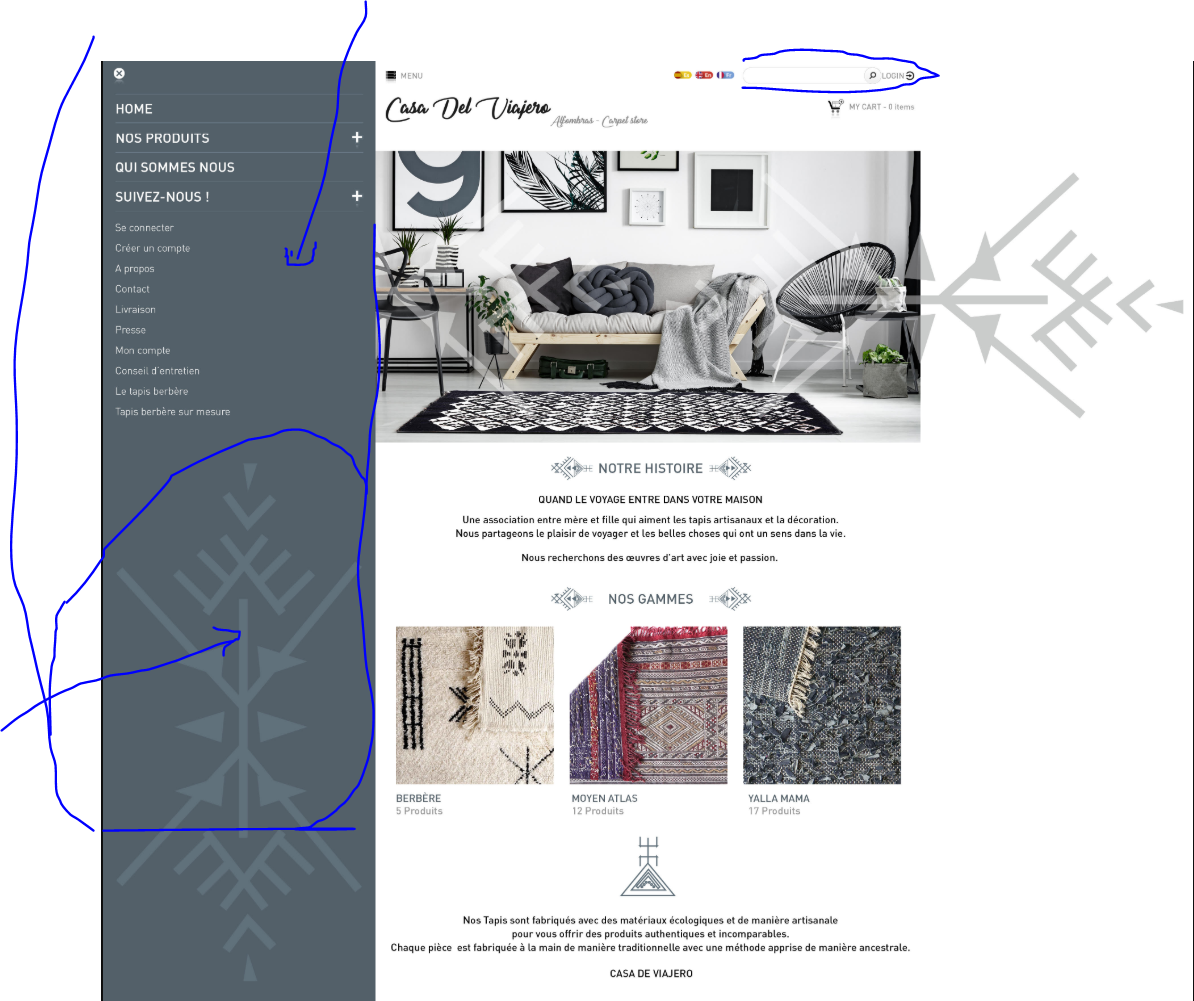
TO COLOR THE BACKGROUND FOR MENU AND ADD SYMBOL ON IT LIKE THE PICTURE
-
May 15, 2019 at 8:25 am #31184
problem solved background
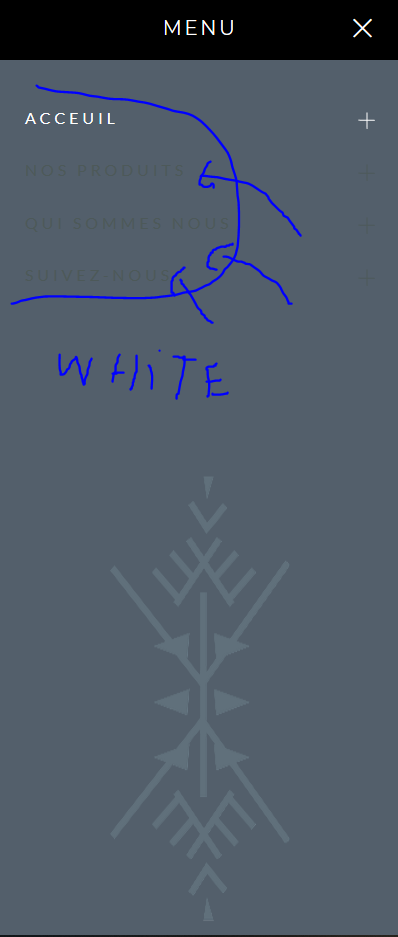
i need some help for changing color on menu to white
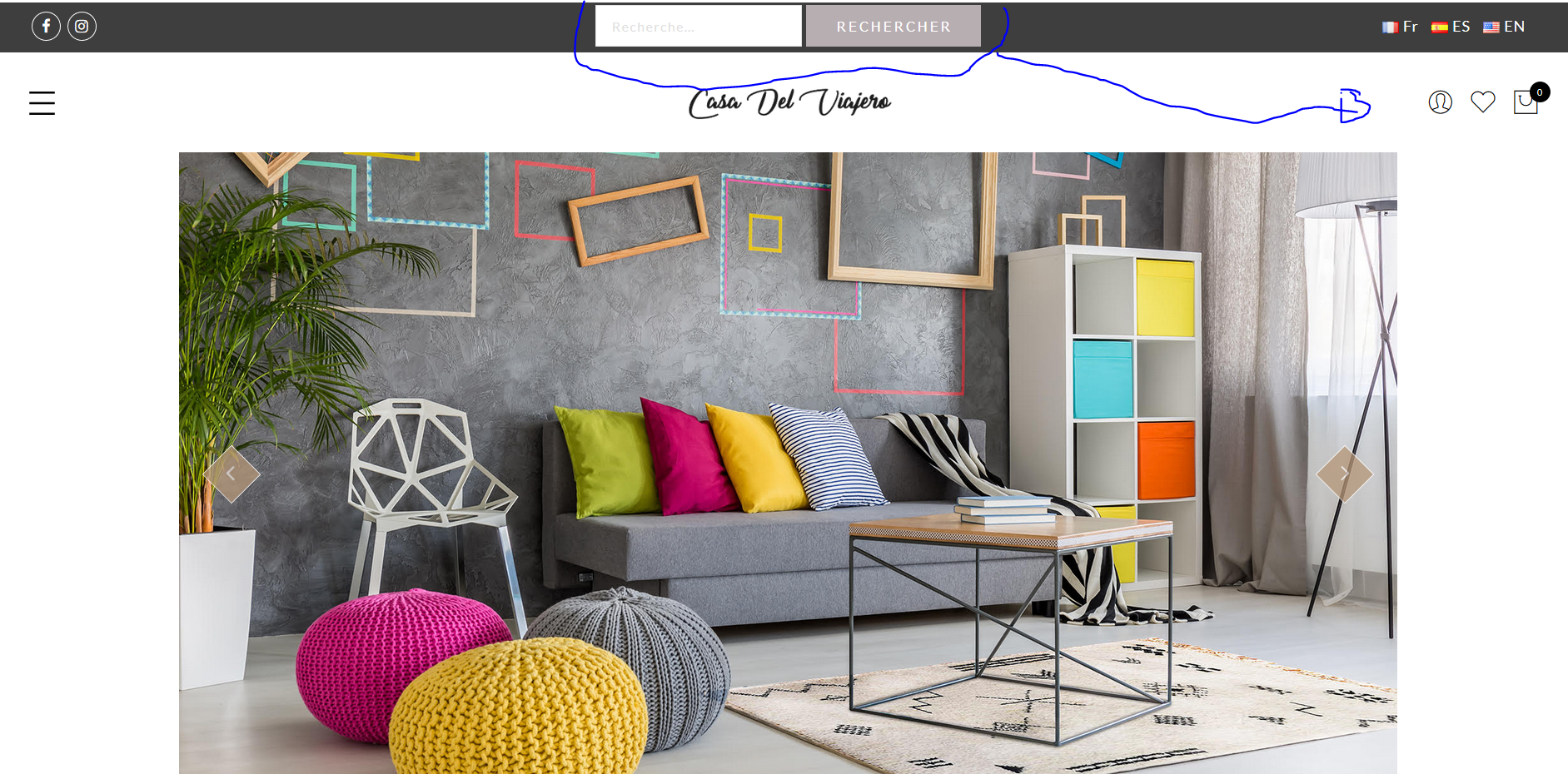
and my page to be fullwidth not boxed and move the search from top header to right header ( [ivory-search id=”987″ title=”Default Search Form”] )
thank you
<hr />
-
May 15, 2019 at 8:27 am #31185
-
May 15, 2019 at 8:29 am #31186
Hi,
1. You can change header color and image in Theme Option > Header > Choose layout 7 and follow this screenshot http://prntscr.com/noo1pq
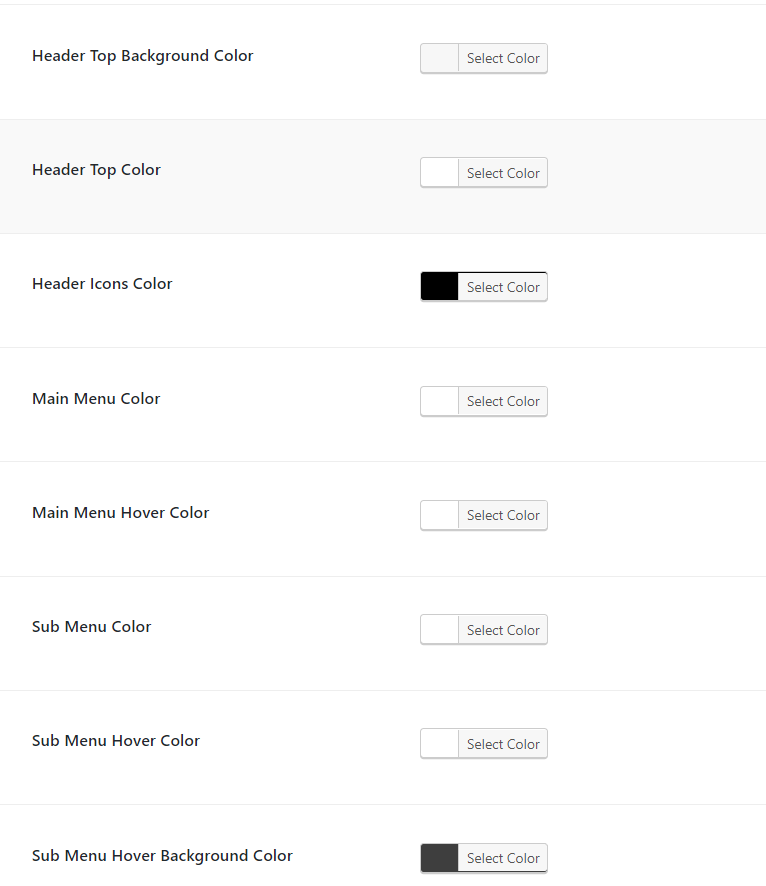
2. Please go to Theme Option > Color Scheme > Main Menu Color and Main Menu Hover Color
3. Please copy your shortcode and put in Theme Option > Header > Header Right Content.
Kind regards
Harry
Premium Wordpress themes and plugins, Best WooCommerce theme https://themeforest.net/user/janstudio/portfolio?ref=janstudio-
May 15, 2019 at 8:38 am #31188
thank you so much
but fot the menu still same problem
-
-
May 15, 2019 at 8:36 am #31187
For search, if you want move next to icons, please copy file layout-1.php in gecko > views > header to gecko-child > views > header and replace code in line 56 with below code
<?php echo do_shortcode( '[ivory-search id="987" title="Default Search Form"] ' ); ?>Regards
Harry
Premium Wordpress themes and plugins, Best WooCommerce theme https://themeforest.net/user/janstudio/portfolio?ref=janstudio -
May 15, 2019 at 8:43 am #31190
Please try clear cache. It now i don’t see the menu on your site, please go to Appearance > Menus and assign your menu to Primary menu.
Harry
Premium Wordpress themes and plugins, Best WooCommerce theme https://themeforest.net/user/janstudio/portfolio?ref=janstudio-
May 15, 2019 at 8:52 am #31191
Hi Harry
thank you for your help
menu is only on (fr) home
can you help please , and check the search bar how to fix it please
im a neewbie
-
-
May 15, 2019 at 9:03 am #31192
Hi,
Please download attach image and replace in gecko > core > libraries > janstudio > hooks
Kind regards
Attachments:
You must be logged in to view attached files.Harry
Premium Wordpress themes and plugins, Best WooCommerce theme https://themeforest.net/user/janstudio/portfolio?ref=janstudio -
May 15, 2019 at 9:12 am #31194
ooooh thank you
my menu work super fine
last thing can you help me to fix search on header
and thank youu very much
-
May 15, 2019 at 9:27 am #31195
i Fix it
can you told me how to change my home to fullwidth
thank you
-
-
May 15, 2019 at 9:30 am #31196
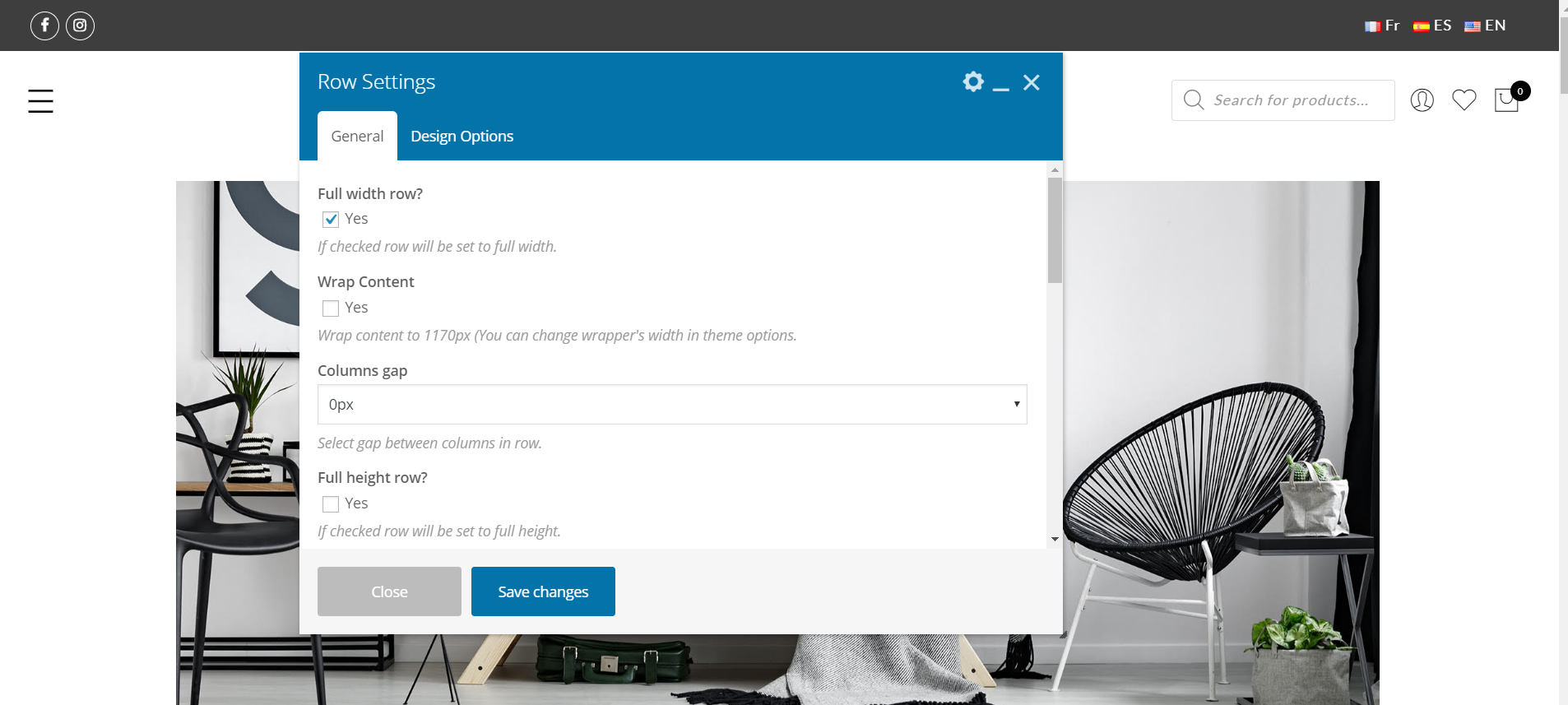
Please edit the row wrap content and check in “full width row” http://prntscr.com/noohk6
Regards
Harry
Premium Wordpress themes and plugins, Best WooCommerce theme https://themeforest.net/user/janstudio/portfolio?ref=janstudio -
May 15, 2019 at 9:34 am #31197
Hi Harry
it’s already checked
-
May 15, 2019 at 9:38 am #31198
Hi Harry
i use this code (.banner: 100%)on css and it’s work
thank you so much
Have a good day
(good night ) lol
-
May 15, 2019 at 9:41 am #31199
sorry i forgot this
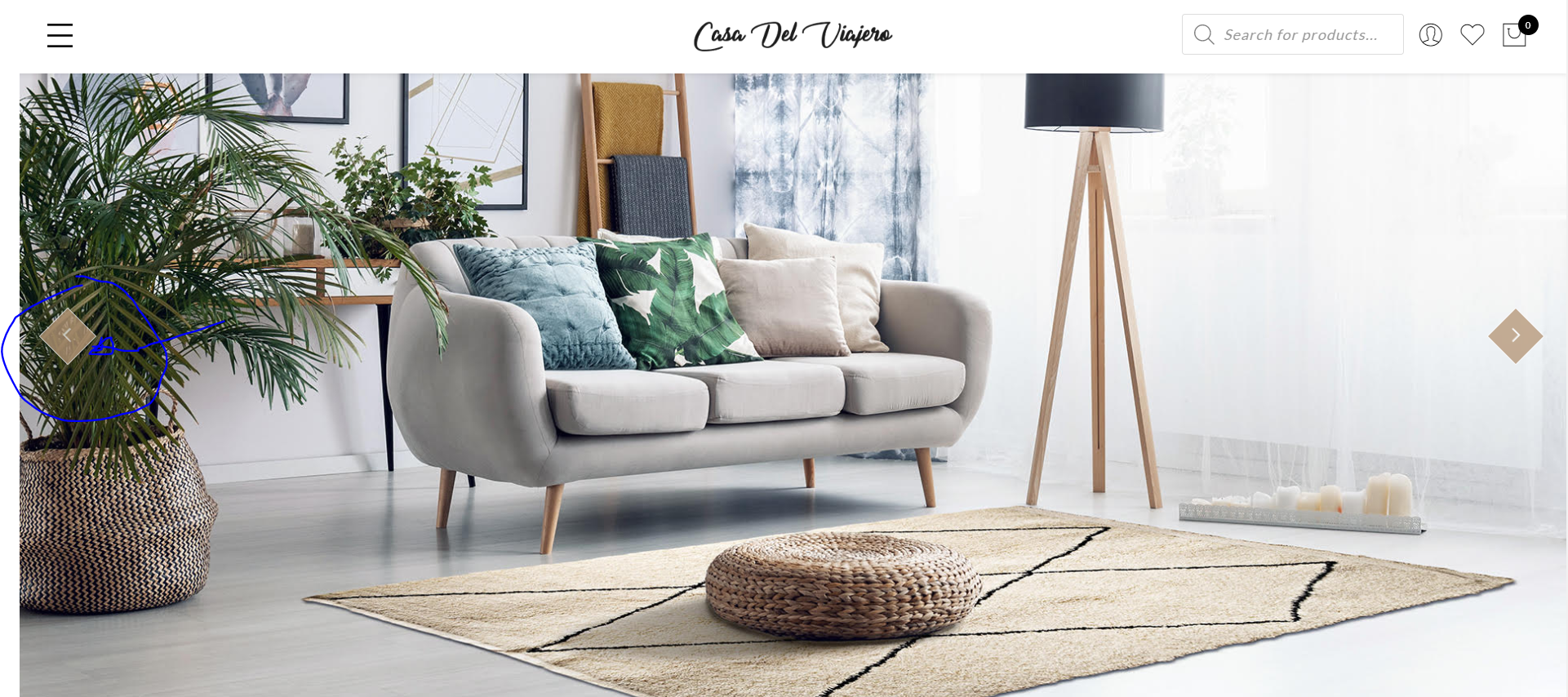
how to change color button to #535F6B
thank you
-
May 15, 2019 at 9:42 am #31200
-
-
May 15, 2019 at 12:48 pm #31201
Hi Errihamza,
1. Thank you for rating. You just need to check in full width and save don’t need add css for banner.
2. To change color of button, please add below code to JanStudio > Theme Option > General Layout > Custom CSS
.metaslider .flexslider .flex-direction-nav li a.flex-prev,
.metaslider .flexslider .flex-direction-nav li a.flex-next {
	background: #b59677;
}
and change #b59677 with your color.
Regards
Harry
Premium Wordpress themes and plugins, Best WooCommerce theme https://themeforest.net/user/janstudio/portfolio?ref=janstudio
-
-
AuthorPosts




You must be logged in to reply to this topic.