Hi Mike,
Please add below code to Claue > Theme Option > General Layout > Custom CSS
.swatch__list--item.disabled::before, .swatch__list--item.disabled::after {
	display: none;
}
.swatch__list--item.disabled {
	opacity: 1;
	pointer-events: inherit;
}
Btw, your support expired. Please renew your support at https://themeforest.net/downloads that will help us continue develop new features and improve our theme.
Thank and regards!
Harry
Premium Wordpress themes and plugins, Best WooCommerce theme https://themeforest.net/user/janstudio/portfolio?ref=janstudio
Hi,
Please add below code to Claue > Theme Option > General Layout > Custom CSS
.product-info .woocommerce-price-suffix {
	display: none;
}
Kind regards
Harry
Premium Wordpress themes and plugins, Best WooCommerce theme https://themeforest.net/user/janstudio/portfolio?ref=janstudio
Hi Ateacme,
Please add below code to JanStudio > Theme Option > General Layout > Custom CSS
.jas-wc-single .page-head {
	background-image: url(https://labartdog.com/wp-content/uploads/2021/04/labartdog-header-new.jpg) !important;
}
Kind regards
Harry
Premium Wordpress themes and plugins, Best WooCommerce theme https://themeforest.net/user/janstudio/portfolio?ref=janstudio
Hi, at the moment background head in single post page displays a part of post feature image. I’d like to set, instead, a unique image for all the post but.
Is there a way to modify this setting, maybe with customm css?
I want to use the same image I set in shop category pages: a simple flat colour with a little dog logo.
Thanks a lot for any help you can provide.
Attachments:
You must be
logged in to view attached files.
Hi Chen,
Please add below code to Claue > Theme Option > General Layout > Custom CSS
.sidebar .widget.yith-woocommerce-ajax-product-filter ul li::before {
	display: none;
}
.sidebar .widget.yith-woocommerce-ajax-product-filter ul li {
	padding-left: 0;
}
Kind regards
Harry
Premium Wordpress themes and plugins, Best WooCommerce theme https://themeforest.net/user/janstudio/portfolio?ref=janstudio
Hi,
If you want remove breadcrumb, please add below code to Claue > Theme Option > General Layout > Custom CSS
.bgbl.pt__20.pb__20.pl__15.pr__15.lh__1 {
	display: none;
}
Kind regards
Harry
Premium Wordpress themes and plugins, Best WooCommerce theme https://themeforest.net/user/janstudio/portfolio?ref=janstudio
Hi Reinhard,
Please add below code to Claue > Theme Option > General Layout > Custom CSS
.swatch__list--item {
    margin: 3px 7px;
}
Kind regards
Harry
Premium Wordpress themes and plugins, Best WooCommerce theme https://themeforest.net/user/janstudio/portfolio?ref=janstudio
Hi there,
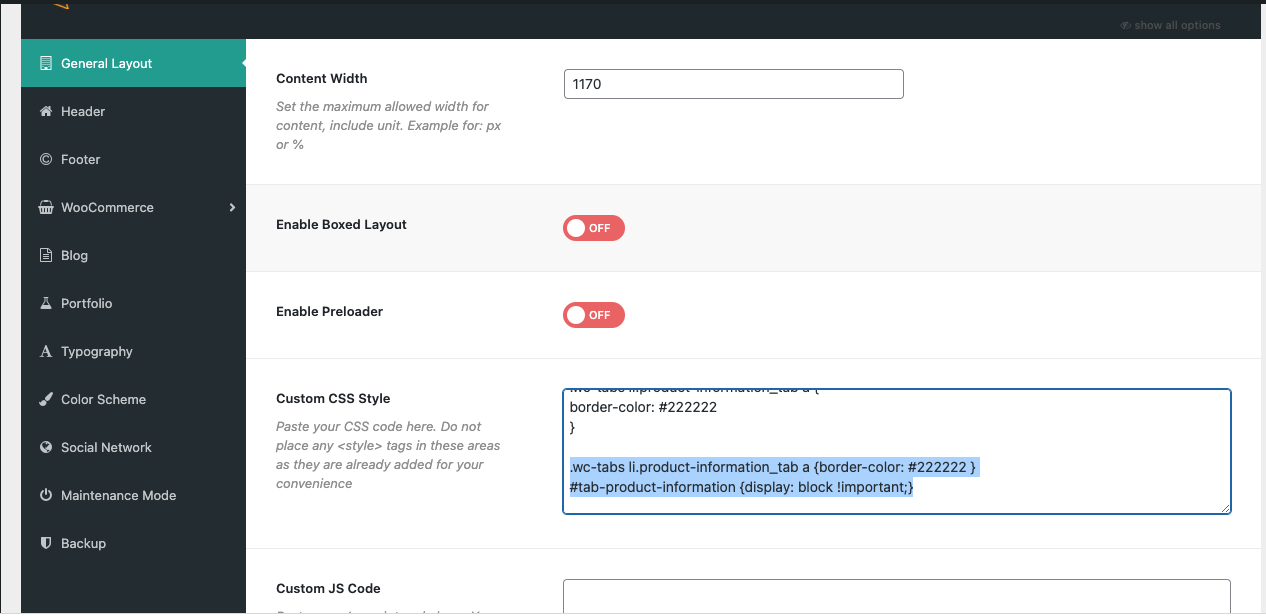
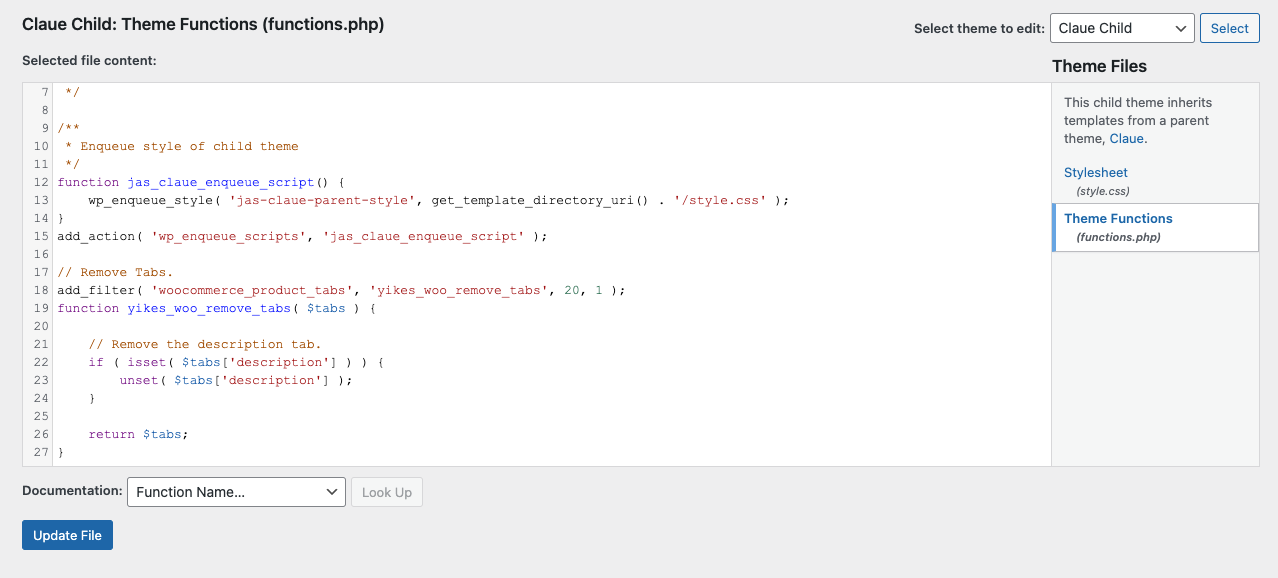
I have already added the provided css code to the theme custom css and php code to the claue-child > functions. See screenshots below.
If I understand correctly, I will have to enter a pin shortcode into every product description in order for it to load the php for the custom tab? Won’t that mean the pin image will appear twice, once in the description and again in the custom tab description?
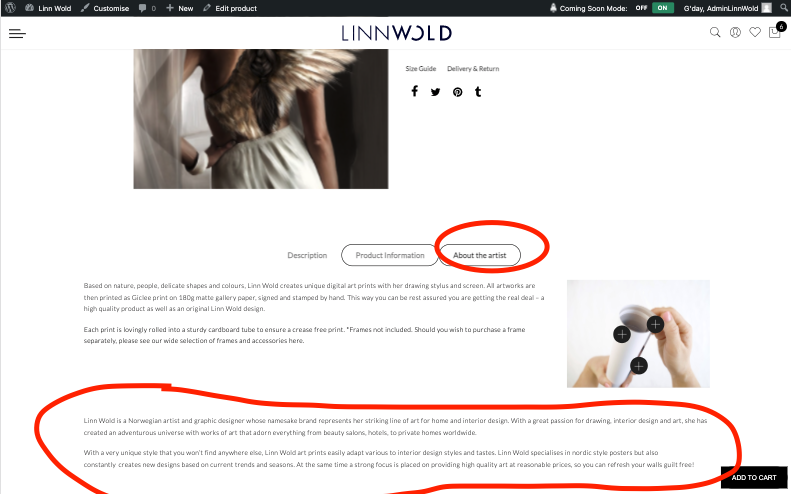
The tabs are still not working properly though. The text from additional custom tabs is displaying / loading underneath. See screenshot below and https://www.linnwold.com/product/ave-poster/. Also the selected tab border display as multiple highlighted.
Cheers,
Brittany
Hi Bmerton,
Please add below code to Claue > Theme Option > General Layout > Custom CSS
.single-post .page-head {
	background: none !important;
}
Kind regards
Harry
Premium Wordpress themes and plugins, Best WooCommerce theme https://themeforest.net/user/janstudio/portfolio?ref=janstudio
Hi,
The issue because the custom tab plugin not support load js and css of plugin PinMaker
You need add the suggested code i gave to you to hide description tab while still have to add any pin shortcode to product description. On the product it will not show the pin in description but it can help to load js and css code of plugin to show pin in custom tab
Kind regards
Harry
Premium Wordpress themes and plugins, Best WooCommerce theme https://themeforest.net/user/janstudio/portfolio?ref=janstudio







