Hi,
1. Please disable full-height option of the row contain slider
2. Please add below code to Claue > Theme Option > General Layout > Custom CSS
@media only screen and (max-width: 736px) {
.shop-top-sidebar .widget {
text-align: left;
min-width: 2000px;
width: auto;
}}
Kind regards
Harry
Premium Wordpress themes and plugins, Best WooCommerce theme https://themeforest.net/user/janstudio/portfolio?ref=janstudio
Hi,
10. I want to add css only for my Shop page ( http://185.104.28.45/~ak/shop/ ). Is there something like a page id that I can call on in css?
Hi,
6. I see you disabled hover
7. Please go to Claue > Theme Option > WooCommerce > General Setting > Enable Page Title > On
8. Please add below code to Claue > Theme Option > General Layout > Custom CSS
.product-btn .button.add_to_cart_button {
	text-indent: 9999em;
}
.product-btn .button.add_to_cart_button i {
	text-indent: 0;
	position: absolute;
	top: 50%;
	left: 50%;
	transform: translate(-50%, -50%);
}
9. Please install plugin https://wordpress.org/plugins/wp-mail-smtp/ to enable send mail from your site.
Kind regards
Harry
Premium Wordpress themes and plugins, Best WooCommerce theme https://themeforest.net/user/janstudio/portfolio?ref=janstudio
Please add more code to Claue > Theme Option > General Layout > Custom CSS
@media only screen and (max-width: 480px) {
.shop-top-sidebar .widget ul li a {
	padding: 5px;
}}
Kind regards
Harry
Premium Wordpress themes and plugins, Best WooCommerce theme https://themeforest.net/user/janstudio/portfolio?ref=janstudio
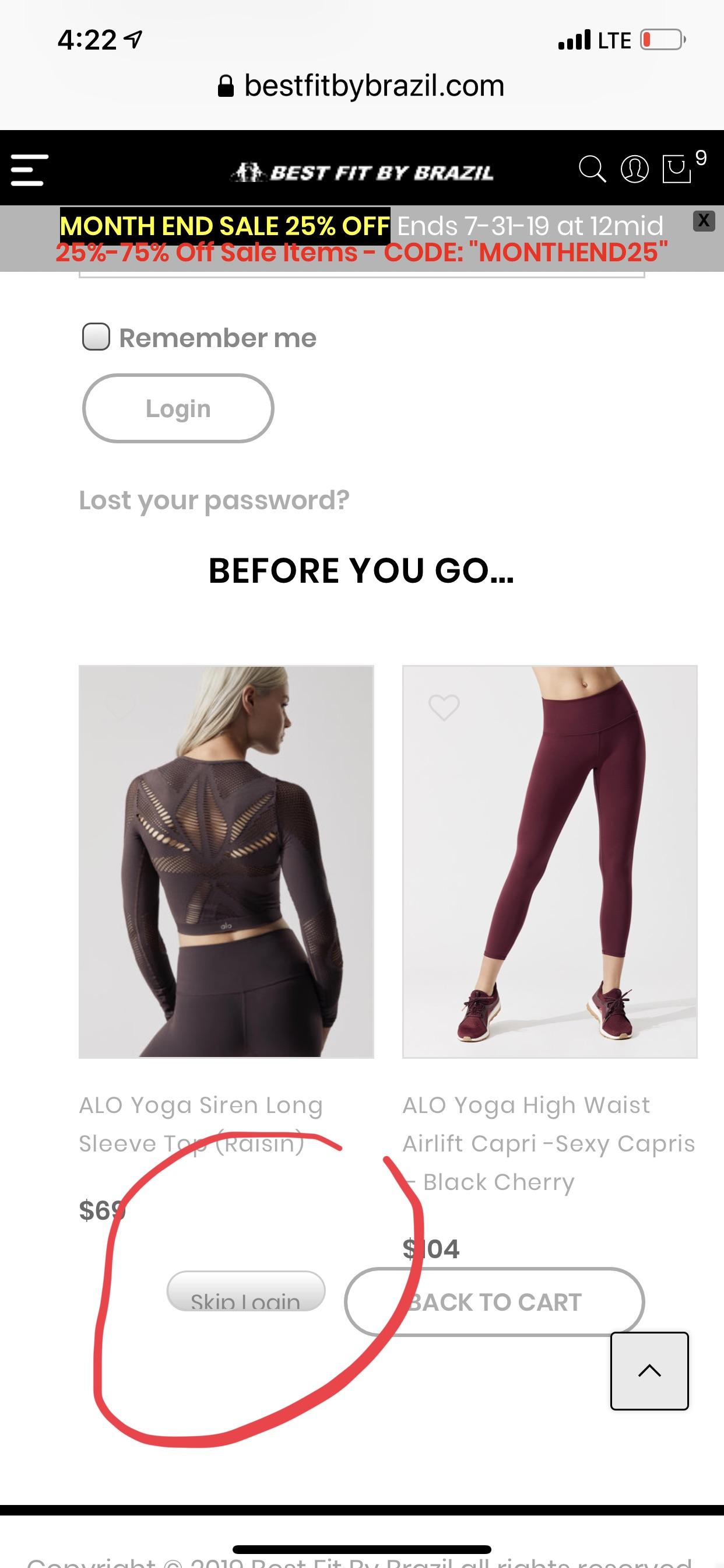
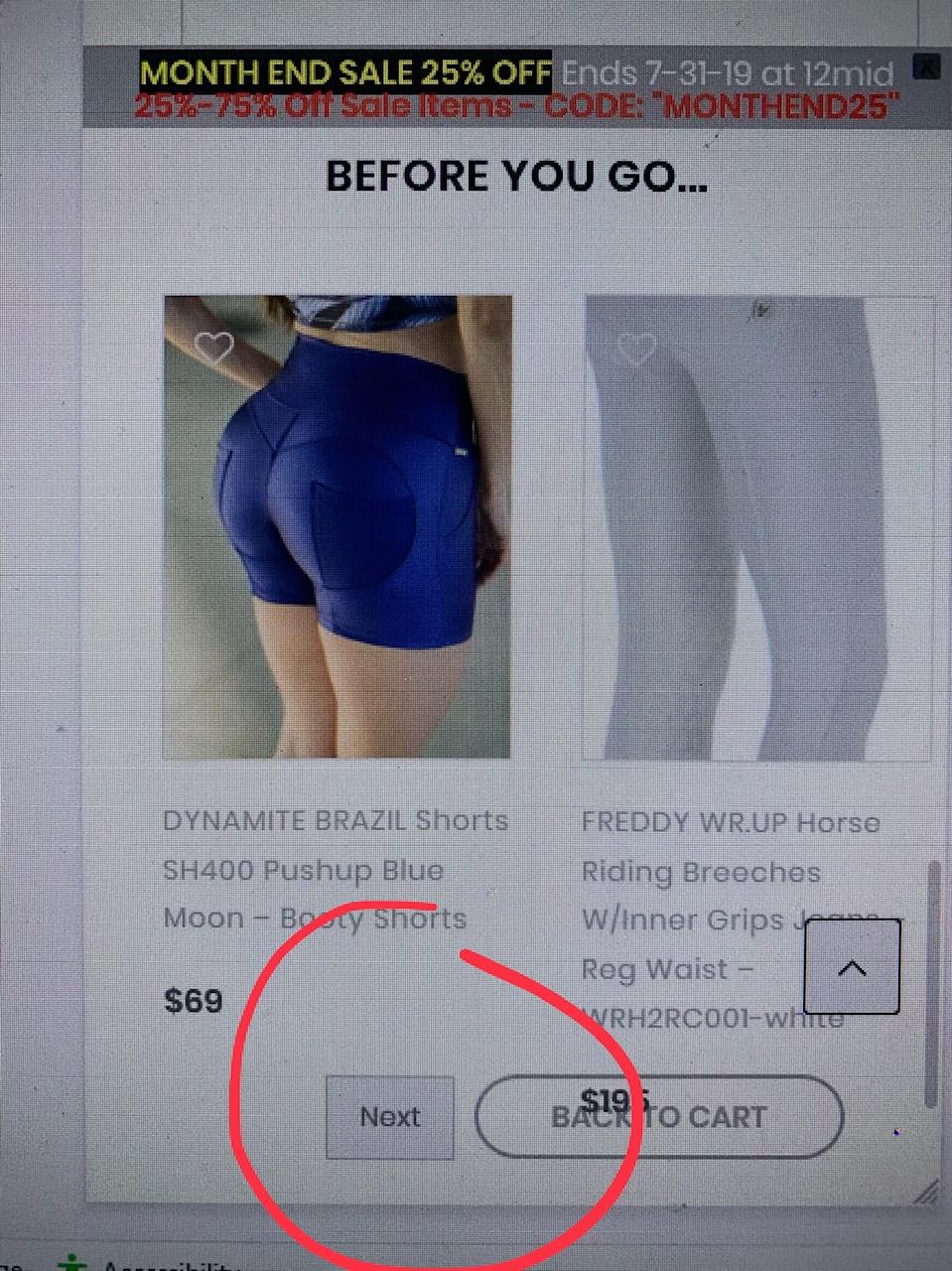
When you look at mobile view in “Checkout” at the bottom, the navigation button is a rounded and its hard to see the word on the button. I was going to style it better, but when i look at it on the css custom view on computer sized down to mobile view, the button is square and easy to read. The button appears differently on mobile than on computer when trying to style it. How to fix this issue?
This is the issue see bottom of this image
This is what i see when i try to style it online even when i shrink screen down to mobile size:
Hi,
1. Please add below code to Claue > Theme Option > General Layout > Custom CSS
.shop-top-sidebar .menu ul {
	position: absolute;
	width: 250px;
	background: rgba(255, 255, 255, 0.95);
	box-shadow: 0 0 3px 0 rgba(0, 0, 0, 0.1);
	left: 0;
	top: 120%;
	z-index: 10;
	opacity: 0;
	visibility: hidden;
	padding: 0;
	transition: all .3s;
}
.shop-top-sidebar .menu li:hover > ul  {
	opacity: 1;
	visibility: visible;
	top: 100%;
}
.shop-top-sidebar .menu li ul ul {
	left: 100%;
	top: 20%;
}
.shop-top-sidebar .menu li ul li:hover ul {
	top: 0%;
}
.shop-top-sidebar .menu ul li {
	display: block;
	text-align: left;
}
.shop-top-sidebar .menu ul li:not(:last-child) {
	border-bottom: 1px solid #ddd;
}
.jas-mobile .shop-top-sidebar .menu ul {
	position: absolute;
	display: none;
}
2.1 Please edit heading element and add margin http://prntscr.com/ol3dgk
2.2 Please upload higher image for slider or add below code
@media only screen and (max-width: 480px) {
.metaslider .slides img {
	height: 200px !important;
	width: auto !important;
}}
3. Please explain more issue, i still not understand
4. I still see you use old color code, please use your new color code.
Kind regards
Harry
Premium Wordpress themes and plugins, Best WooCommerce theme https://themeforest.net/user/janstudio/portfolio?ref=janstudio
Hi there,
Thank you for choose our theme.
Please right click on the page and “Inspect Element” to know page-id of the page http://prntscr.com/oky1l2
like on the screenshot is: page-id-4082
and add below code to Claue > Theme Option > General Layout > Custom CSS
.page-id-4082 #jas-header, .page-id-4082 #jas-footer {display: none;}
Kind regards
Harry
Premium Wordpress themes and plugins, Best WooCommerce theme https://themeforest.net/user/janstudio/portfolio?ref=janstudio
Hi,
2. I help you show search form on the left of user icon
3. Please go to Appearance > Widgets > WooCommerce Categories Menu Sidebar > Uncheck in Show hierarchy and check in Only show children of the current category http://prntscr.com/okg0sp
4. I see you add the code in header file
<link rel="stylesheet" href="https://use.typekit.net/yof4tpr.css">
You can use google font in Theme Option > Typography or put fonts in claue-child and add font-face to claue-child > style.css
Kind regards
Harry
Premium Wordpress themes and plugins, Best WooCommerce theme https://themeforest.net/user/janstudio/portfolio?ref=janstudio
Hi,
I’m sorry it doesn’t support add new class for shop category.
Please use class like “cat-item-171” http://prntscr.com/okb7po
if you want write CSS for separate language. please use below code
html[lang="nl-NL"] .cat-item-171 {
 you CSS here
}
Kind regards
Harry
Premium Wordpress themes and plugins, Best WooCommerce theme https://themeforest.net/user/janstudio/portfolio?ref=janstudio
Hi,
Please add below code to Claue > Theme Option > General Layout > Custom CSS
.product-info h3.tu {
	display: block;
	padding: 5px 15px;
	background-color: #DDDDDD;
	color: #BCBCBC;
	text-transform: uppercase;
	font-weight: 600;
	font-size: 12px;
	margin: 0px 20px;
}
Kind regards
Harry
Premium Wordpress themes and plugins, Best WooCommerce theme https://themeforest.net/user/janstudio/portfolio?ref=janstudio







