Hi,
Please add more below code to Claue > Theme Option > General Layout > Custom CSS
.single-product .woocommerce-product-details__short-description {
	display: inline-block;
	width: 100%;
}
Kind regards
Harry
Premium Wordpress themes and plugins, Best WooCommerce theme https://themeforest.net/user/janstudio/portfolio?ref=janstudio
Hi,
1. Please edit your product in Attributes tab move “Color” up above size http://prntscr.com/oipm0j
2. Please remove your custom code and change in again, your css not optimize http://prntscr.com/oipngg
Kind regards
Harry
Premium Wordpress themes and plugins, Best WooCommerce theme https://themeforest.net/user/janstudio/portfolio?ref=janstudio
I was looking at your demo. it has many things there I’m trying to accomplish on mobile. do you guys have customer server for us to see css code in custom and theme?
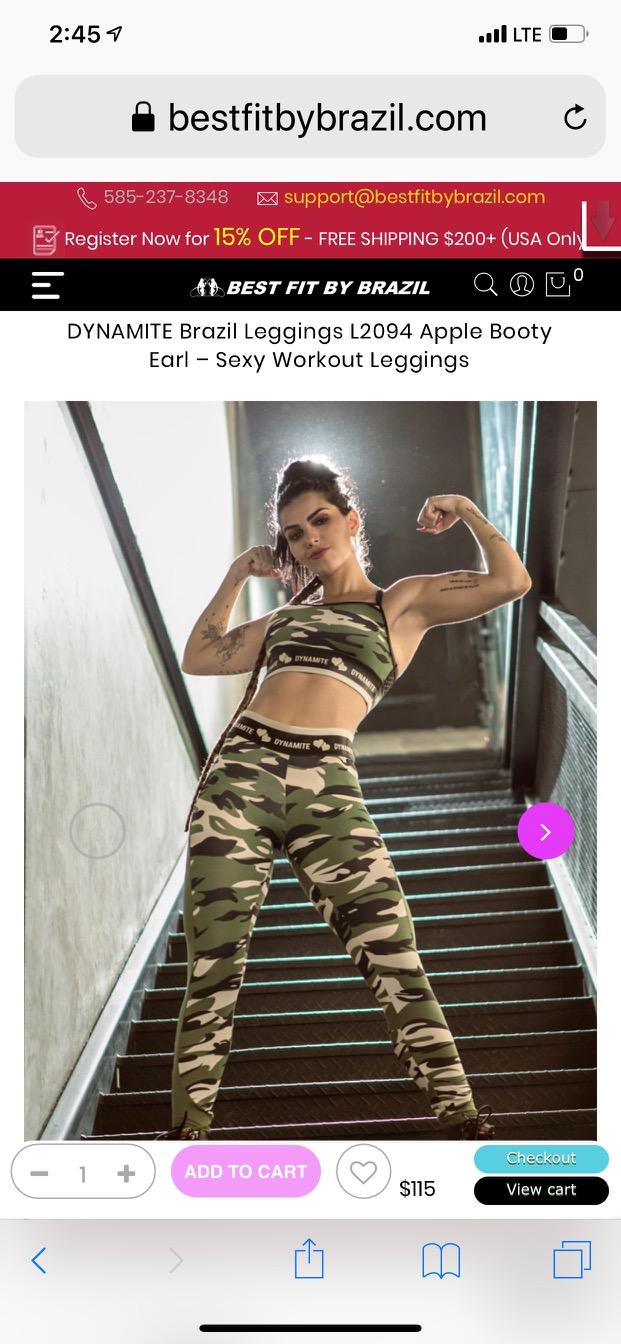
This is a sample of what I’m trying to do with the “Add to cart, Wish list heart, Quantity control, Price and “View Cart & Checkout” controls:
I have these controls set to fixed at bottom for mobile viewers:
DYNAMITE Brazil Leggings L2094 Apple Booty Earl – Sexy Workout Leggings
Your DEMO sticky “Add to Cart” button comes up as you scroll then disappears and reappears again. But when it appears again the last time it connects itself to the page “Sticky Scroll and release affect”
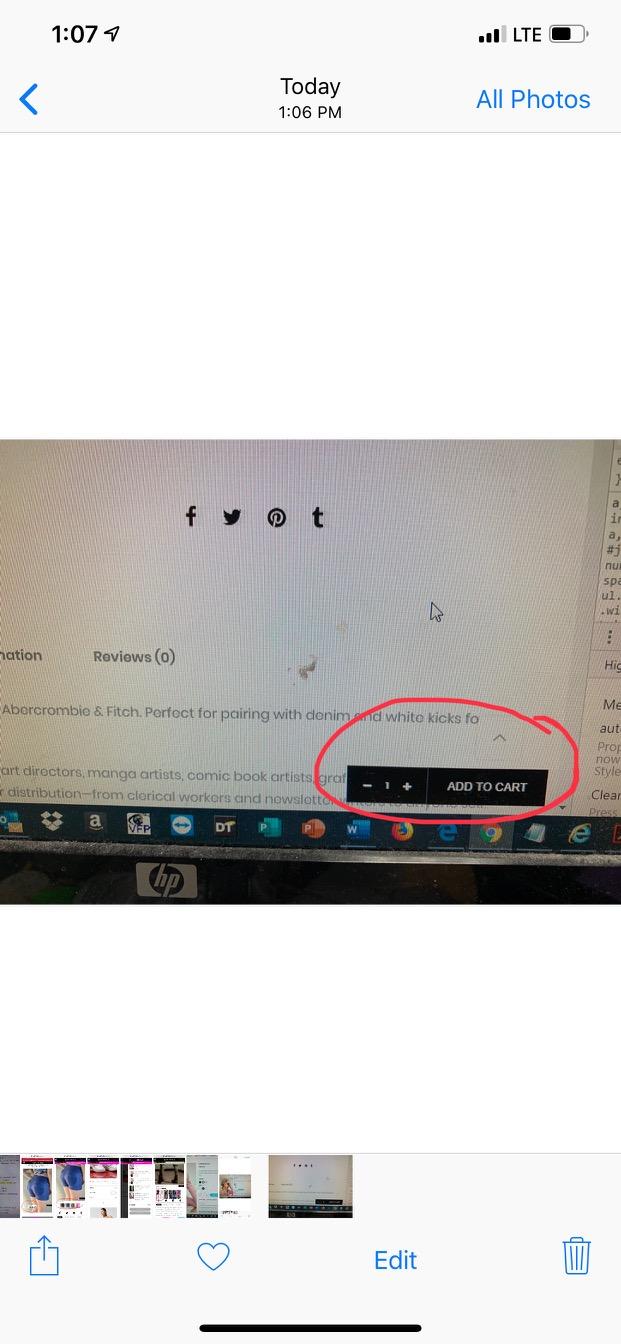
I Just need that to happen 1 time with my fixed elements above like this:
https://www.dropbox.com/s/au4lyaadfpsisrb/pic%207-22%20VIDEO.MP4?dl=0
Notice when I scroll down the fixed elements release at a certain point and attach to page. if i scroll back up the go back to fixed positions.
i don’t mind doing the work, just need a head-start.
thx.
Hi,
I check on our demo but don’t see problem like yours. http://janstudio.net/claue/demo/product/cuffed-beanie/
Please try add below code to Claue > Theme Option > General Layout > Custom CSS
.single-product-thumbnail .slick-slide > a {
	display: inline-block;
}
Regards
Harry
Premium Wordpress themes and plugins, Best WooCommerce theme https://themeforest.net/user/janstudio/portfolio?ref=janstudio
Hi,
1. Please add below code to Claue > Themee Option > General Layout > Custom CSS
@media only screen and (max-width: 1024px) {
.sidebar.first-md {
	-webkit-order: -1;
	-ms-flex-order: -1;
	-webkit-box-ordinal-group: 0;
	order: -1;
}}
2. Please check HTML of header file you override, it now have redundant close div tag
3. I don’t see problem with menu
Kind regards
Harry
Premium Wordpress themes and plugins, Best WooCommerce theme https://themeforest.net/user/janstudio/portfolio?ref=janstudio
Hi,
Please add below code to claue-child > functions.php and add your css code to claue-child > style.css
function show_view_cart_on_poduct_page() {
    echo '<a href="' . esc_url(wc_get_cart_url()) . '" class="myButton">' . esc_html( 'View cart', 'claue' ) . '</a>';
    echo '<a href="' . esc_url(wc_get_checkout_url()) . '" class="myButton ml__15">' . esc_html( 'Checkout', 'claue' ) . '</a>';
}
add_action('woocommerce_single_product_summary', 'show_view_cart_on_poduct_page', 55);
Kind regards
Harry
Premium Wordpress themes and plugins, Best WooCommerce theme https://themeforest.net/user/janstudio/portfolio?ref=janstudio
I think I figured it out. I should just put the html class reference in the “cart” page html element WPBakery Editor correct? https://bestfitbybrazil.com/cart
And the CSS can go in the WPBakery CSS settings Editor of the same page?
You want change button with these css?
You can’t add HTML to css file.
If you want change for view cart button. please add code
.jas-mini-cart .button {
background-color:#44c767;
-moz-border-radius:28px;
-webkit-border-radius:28px;
border-radius:28px;
border:1px solid #18ab29;
display:inline-block;
cursor:pointer;
color:#ffffff;
font-family:Verdana;
font-size:12px;
padding:9px 31px;
text-decoration:none;
text-shadow:0px 1px 0px #2f6627;
}
.jas-mini-cart .button:hover {
background-color:#57a5cf;
}
.jas-mini-cart .button:active {
position:relative;
top:1px;
}
Harry
Premium Wordpress themes and plugins, Best WooCommerce theme https://themeforest.net/user/janstudio/portfolio?ref=janstudio
but don’t we have to declare the button class in html first?
for instance: VIEW CART
the CSS editor will accept HTML? the syntax turns red like it won’t work.
How to create button for page that does not have button class? Don’t i need to declare clase of button in HTML? If so, where can i enter this html code? a file?
For instance this class is for new button, but i can’t put inside CSS customizer
VIEW CART
This is sample button CSS:
.myButton {
background-color:#44c767;
-moz-border-radius:28px;
-webkit-border-radius:28px;
border-radius:28px;
border:1px solid #18ab29;
display:inline-block;
cursor:pointer;
color:#ffffff;
font-family:Verdana;
font-size:12px;
padding:9px 31px;
text-decoration:none;
text-shadow:0px 1px 0px #2f6627;
}
.myButton:hover {
background-color:#57a5cf;
}
.myButton:active {
position:relative;
top:1px;
}






