Hi,
Please check the code you add in Claue > Theme Option > General Layout > Custom CSS
http://prntscr.com/ohws1k
.product-btn {
    bottom: -40px;
}
and change to
.product-btn {
    bottom: 0px;
}
Regards
Harry
Premium Wordpress themes and plugins, Best WooCommerce theme https://themeforest.net/user/janstudio/portfolio?ref=janstudio
Hi,
1. Please add below code to JanStudio > Theme Option > General Layout > Custom CSS
#jas-footer::before, .page-head::before {
display: none;
}
2. I see the the image and text now in a row as you want, what you want more?
Regards
Harry
Premium Wordpress themes and plugins, Best WooCommerce theme https://themeforest.net/user/janstudio/portfolio?ref=janstudio
Hi,
1. Sorry, please change code to
remove_action('woocommerce_single_product_summary', 'woocommerce_template_single_excerpt', 20);
add_action('woocommerce_single_product_summary', 'woocommerce_template_single_excerpt', 35);
2. Please add more code
.single_add_to_cart_button {
	text-indent: -999em;
}
6. Please add below code to claue-child > style.css
.price-review {
	flex-direction: column;
	align-items: flex-start;
}
Kind regards
Harry
Premium Wordpress themes and plugins, Best WooCommerce theme https://themeforest.net/user/janstudio/portfolio?ref=janstudio
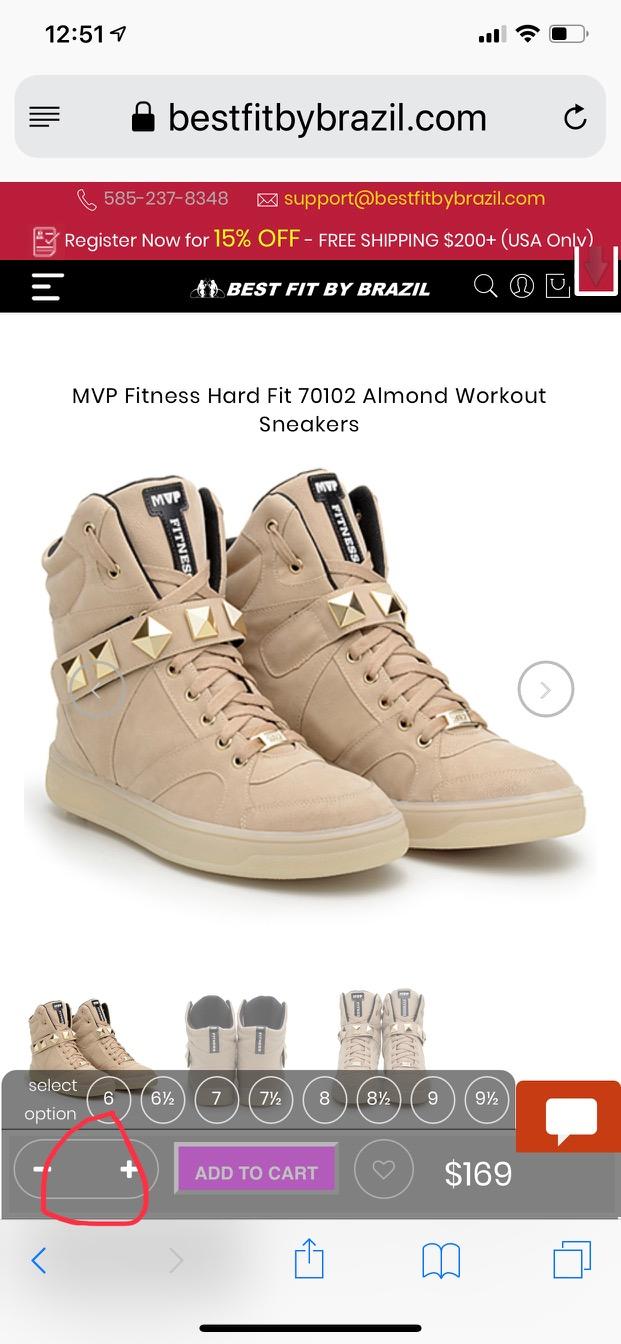
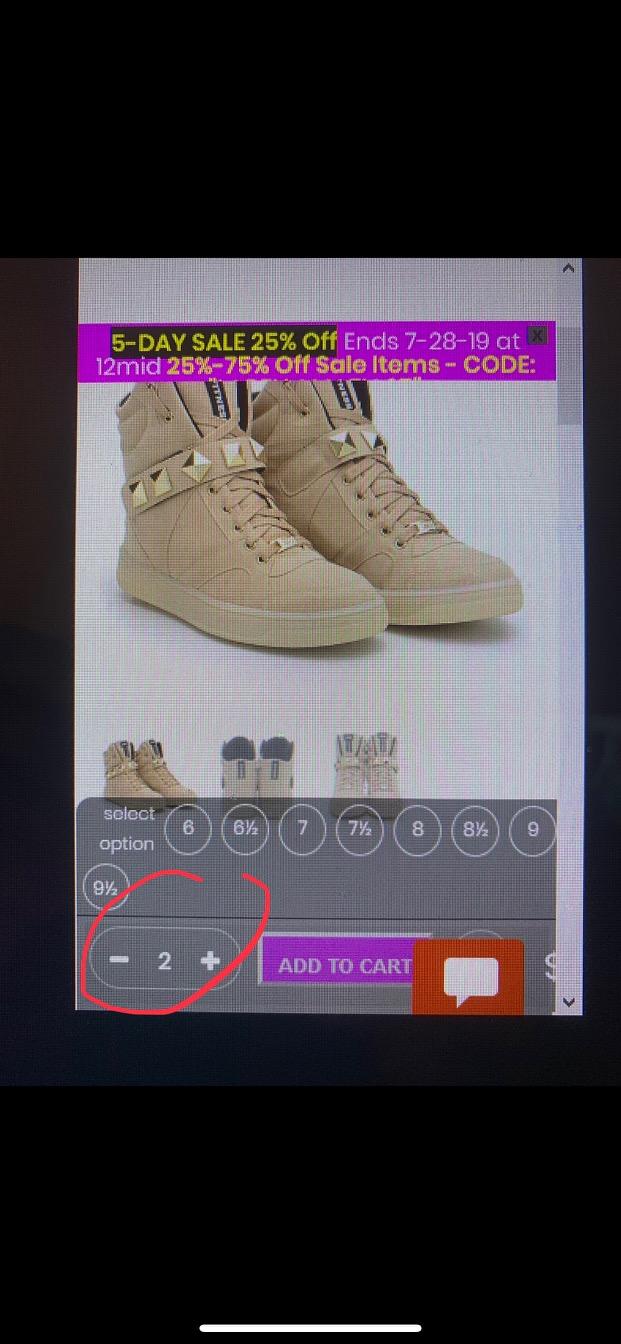
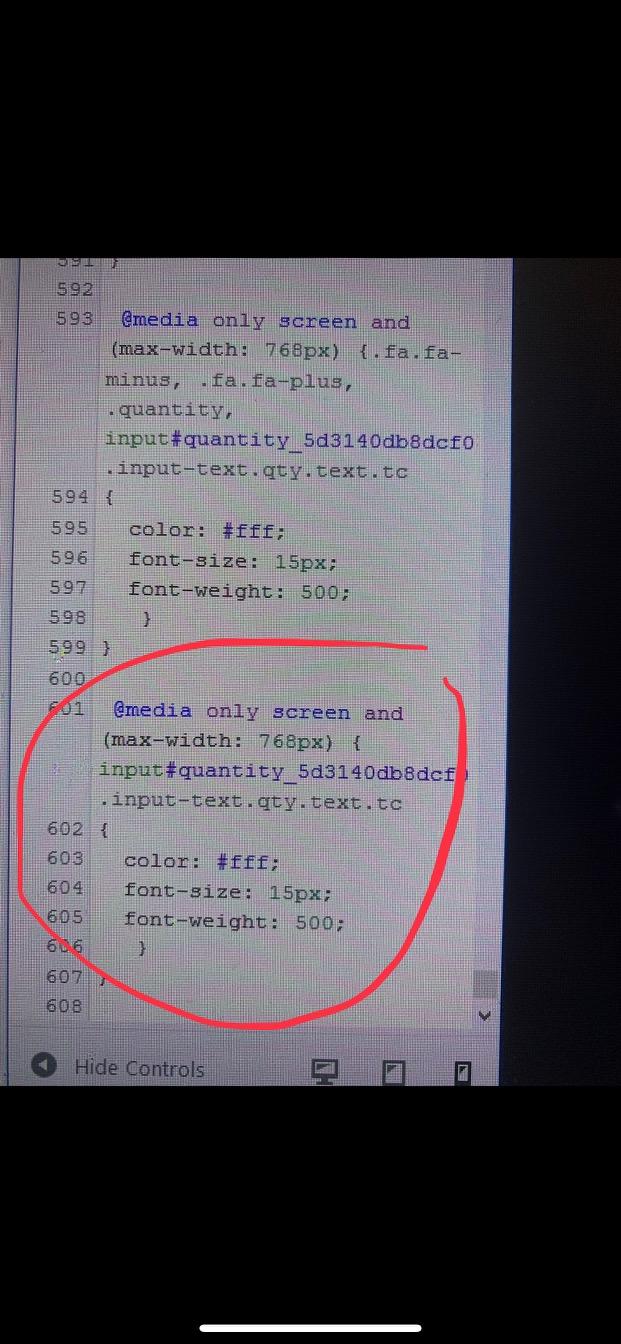
i trying to style the minus and plus buttons to white. that worked. But when i found an element name for the actual number and turned it to white color, it shows up in customizing css but not live on mobile view.
This is what shows live on mobile
this is what i get after styling it in customization mode. (it worked here)
THIS IS CODE I USED BELOW. the bottom section is for the number that won’t show live. the plus and minus code is right above it.
Hi,
1, please add below code to claue-child > functions.php
remove_action(‘woocommerce_single_product_summary’, ‘woocommerce_template_single_excerpt’, 20);
add_action(‘woocommerce_single_product_summary’, ‘woocommerce_template_single_excerpt’, 35);
2. Please add below code to claue-child > style.css
.single_add_to_cart_button::after {
	content: ;
	font-family: 'Pe-icon-7-stroke';
	content: '\e66e';
	text-indent: 0;
	position: absolute;
	display: block;
	top: 50%;
	left: 50%;
	color: #fff;
	font-size: 26px;
	transform: translate(-50%, -50%);
}
3. I’m sorry it can’t set. please change accordion to tab in Theme Option > WooCommerce > Product Detail Settings
4,5 sorry it need more advance custom code please contact expert at https://bit.ly/2Loo6ke
Kind regards
Harry
Premium Wordpress themes and plugins, Best WooCommerce theme https://themeforest.net/user/janstudio/portfolio?ref=janstudio
Hi Mathilde,
Please add below code to JanStudio > Theme Option > General Layout > Custom CSS
.page-head .jas-container > .pr {display: none;}
Kind regards
Harry
Premium Wordpress themes and plugins, Best WooCommerce theme https://themeforest.net/user/janstudio/portfolio?ref=janstudio
You can increase text by add below code to Theme Settings > Custom Code > CSS
.page-header h1 { font-size: 30px;}
And change 30 with your number.
Kind regards
Harry
Premium Wordpress themes and plugins, Best WooCommerce theme https://themeforest.net/user/janstudio/portfolio?ref=janstudio
Hi,
This is because css of plugin please add below code to Claue > Theme Option > General Layout > Custom CSS to override
.adsw-attribute-option .meta-item-img.active i, .adsw-attribute-option .meta-item-text.active {
	background: #000 !important;
	color: #FBE74A !important;
}
Kind regards
Harry
Premium Wordpress themes and plugins, Best WooCommerce theme https://themeforest.net/user/janstudio/portfolio?ref=janstudio
Hi Mik,
It have custom css cause this product layout full width. I remove it. To use default zoom function, please go to Theme Option > WooCommerce > Product Details Settings > Enable Zoom > Off.
Kind regards
Harry
Premium Wordpress themes and plugins, Best WooCommerce theme https://themeforest.net/user/janstudio/portfolio?ref=janstudio
Please change custom css you add in claue-child > style.css to style for search field, remove top and margin
And you want remove this space http://prntscr.com/of9n7g?
Harry
Premium Wordpress themes and plugins, Best WooCommerce theme https://themeforest.net/user/janstudio/portfolio?ref=janstudio





